Getting to know the app
A short tour of how the app is laid out: where the menu is, what each page is for and who sees what. The app's screens are in Uzbek or Russian; labels are given here as the Uzbek app shows them, with their meaning.
The menu
Section titled “The menu”- On a phone (and a tablet) the menu is at the bottom of the screen. The most used pages (4 at most) are always visible; the rest are under Yana (More). The owner sees Kassa, Bosh panel, Sotuvlar and Mahsulotlar at the bottom; a cashier sees Kassa, Sotuvlar and Mijozlar.
- On a computer the menu is on the left, every page in one list.
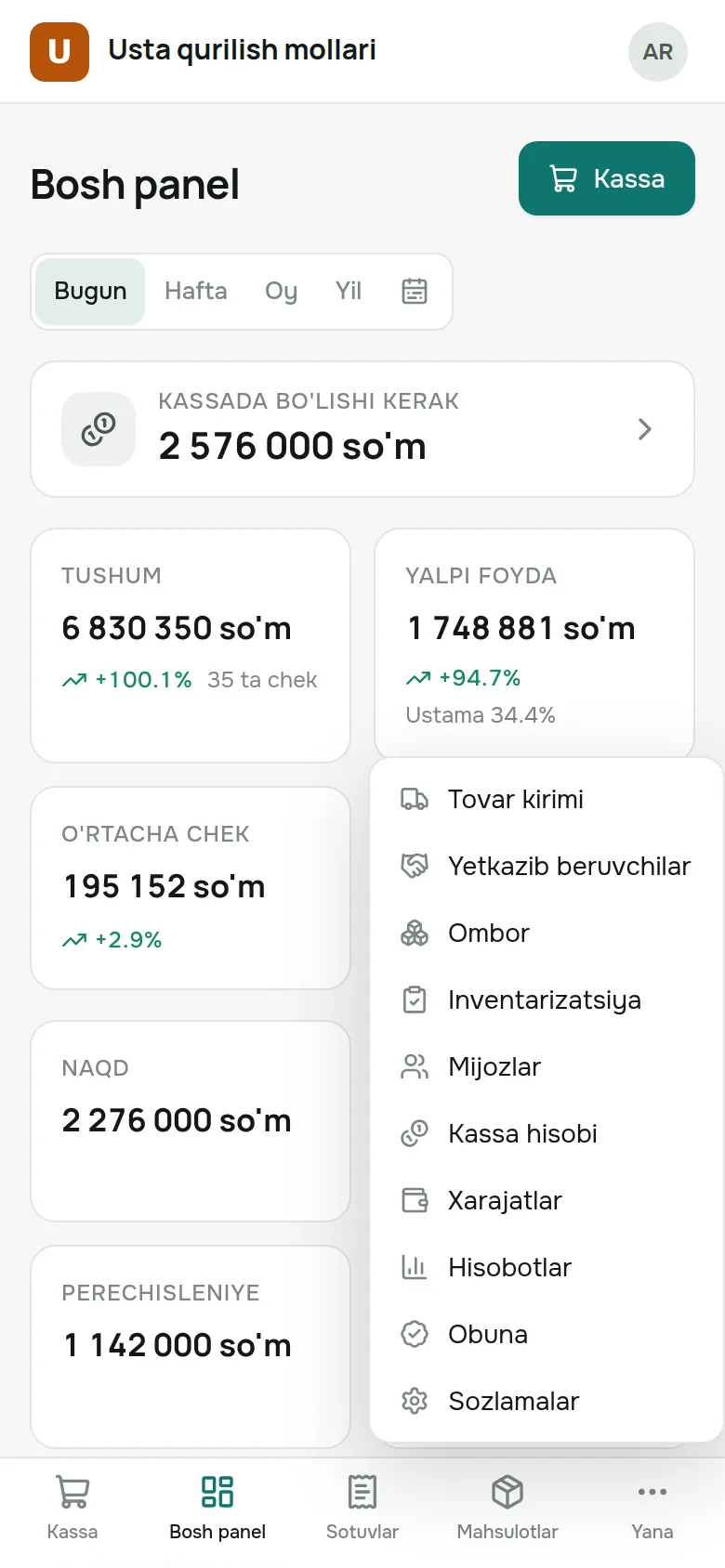
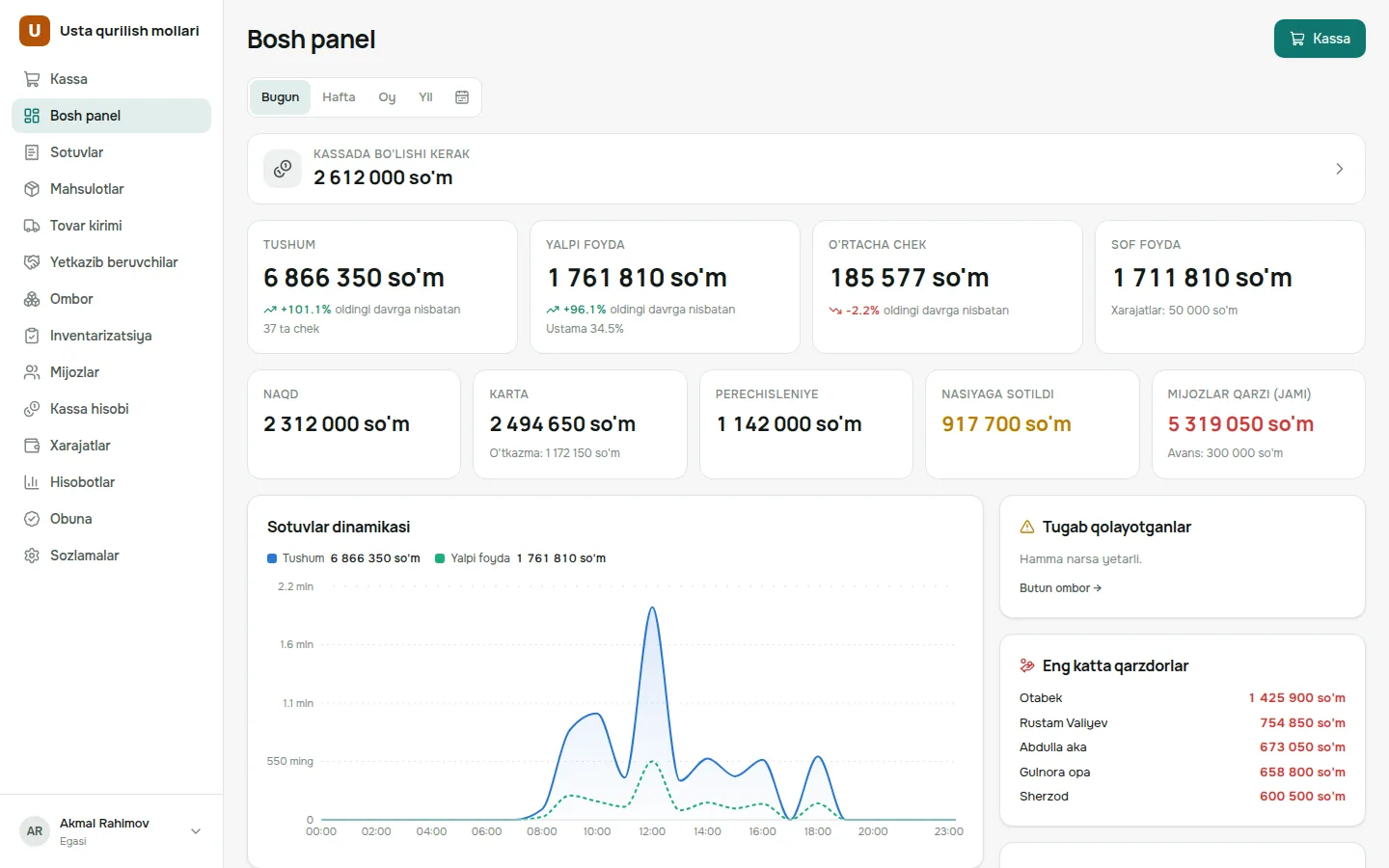
Each staff member sees only the pages they are allowed to use.
| Menu | What for | Who sees it |
|---|---|---|
| Kassa (Till) | Selling, payment, returns. Selling at the till | Everyone |
| Bosh panel (Dashboard) | Today's takings, profit, debts. Dashboard | Owner, manager |
| Sotuvlar (Sales) | List of receipts, who sold how much. Sales history | Everyone (a cashier only their own) |
| Mahsulotlar (Products) | Adding products, prices, barcodes. Adding a product | Owner, manager; a cashier only if the owner allows |
| Tovar kirimi (Goods receiving) | Taking in a delivery. Goods receiving | Everyone |
| Yetkazib beruvchilar (Suppliers) | Who supplies the goods, discounts, debts. Suppliers | Owner, manager |
| Ombor (Stock) | Stock levels and their history. Stock | Owner, manager |
| Inventarizatsiya (Stock count) | Counting the shelves. Stock count | Owner, manager |
| Mijozlar (Customers) | Customers, credit, advances. Customers | Everyone |
| Kassa hisobi (Cash control) | Cash in the drawer, closing the day. Cash control | Owner, manager (when the feature is on) |
| Xarajatlar (Expenses) | Rent, lunch, transport and so on. Expenses | Everyone |
| Hisobotlar (Reports) | Reports for a period, CSV files. Reports | Owner only |
| Obuna (Subscription) | The monthly fee for the app. Subscription | Owner only |
| Sozlamalar (Settings) | Shop, receipt, features, staff. Shop settings | Everyone (a cashier sees only Profil and Qurilmalar) |
More on roles: Roles.
The till screen
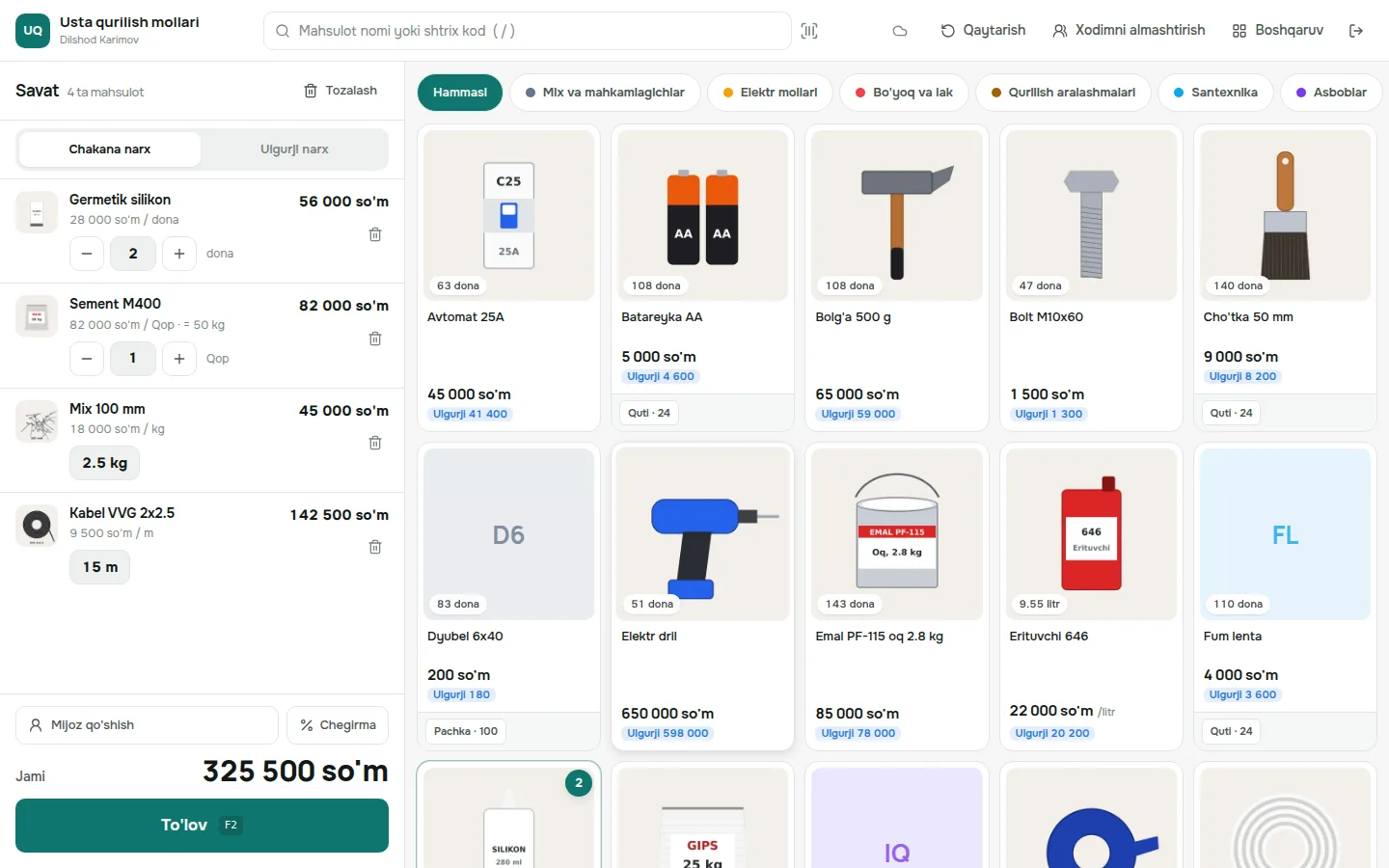
Section titled “The till screen”The Kassa fills the whole screen; it has no bottom or left menu. At the top of the till:
- the search box (product name or barcode);
- Qaytarish (Return);
- Xodimni almashtirish (Switch staff);
- Boshqaruv (Back office): back to the pages with the menu (the owner and a manager go to Bosh panel, a cashier to Sotuvlar);
- the sign-out button.
On a big screen these buttons show their names; on a phone only their icons. Tapping the shop's badge at the top left does the same as Boshqaruv. More: Selling at the till.
Lists keep their place
Section titled “Lists keep their place”Lists such as Sotuvlar, Mahsulotlar and Mijozlar keep their search, filters and page. Open one record from a list, then go back (with the arrow at the top or the phone's back button), and the list is exactly where you left it. Reloading the page does not change it either.
Language and theme
Section titled “Language and theme”On a phone tap the letters of your name at the top right; on a computer, your name at the bottom left. The menu that opens has:
- Mavzu (Theme): Yorug' (light), Qorong'i (dark) or Tizim bo'yicha (follow the phone's or computer's setting). The theme is saved for that device only.
- Til (Language): O'zbekcha or Русский.
- Chiqish (Sign out).
Til in this menu changes the language at once. To get that language every time you sign in, pick it in Sozlamalar → Profil → Til.
Notices at the top
Section titled “Notices at the top”Sometimes a coloured line appears at the top of the pages:
- Internet yo'q (no internet): the till keeps working; the data on the other pages refreshes when the internet is back. Working offline.
- A subscription reminder (owner only): when the free period is ending, the payment day is near, or a payment is late. Subscription.
Questions
Section titled “Questions”A page I need is not in the menu. Your role does not include that page, or the feature it belongs to is switched off (for example Kassa hisobi). Ask the shop owner.
How do I leave the till? There is no menu. Tap Boshqaruv at the top of the till, or the shop's badge at the top left.
The screen is too bright in the evening. Choose Mavzu → Qorong'i (dark) in the menu.
Is there an English version of the app? No. The app works in Uzbek and Russian.