Working offline
When the internet drops, the till does not stop. It keeps the list of products, prices and customers on the phone or computer itself and sells from that list. Sales are kept on that device too, and are sent to the server (the central computer where your shop's data lives) by themselves as soon as the internet is back. Labels are given as the Uzbek app shows them.
Getting ready
Section titled “Getting ready”-
Install the app: Installing the app. Then the till opens without the internet too, and what it keeps on the device is kept more safely.
-
On every till device, open the till at least once with the internet. The till then downloads the product list onto the device.
-
In Sozlamalar → Imkoniyatlar (Settings → Features), Internetsiz sotish (selling without the internet) must be on. A new shop has it on.
While the internet is there, the till keeps this list up to date by itself: about every minute and after every sale. A price changed or a product added on another device reaches the till this way. If the till cannot refresh the list for more than half an hour, an amber "Narxlar ... da yangilangan" (prices updated at ...) pill appears at the top.
When the internet drops
Section titled “When the internet drops”An amber pill appears at the top of the till: Internet yo'q (no internet) or Internet yo'q · navbatda 3 (no internet, 3 in the queue: 3 sales waiting to be sent). On a phone the pill shows only a cloud and the number of waiting sales.
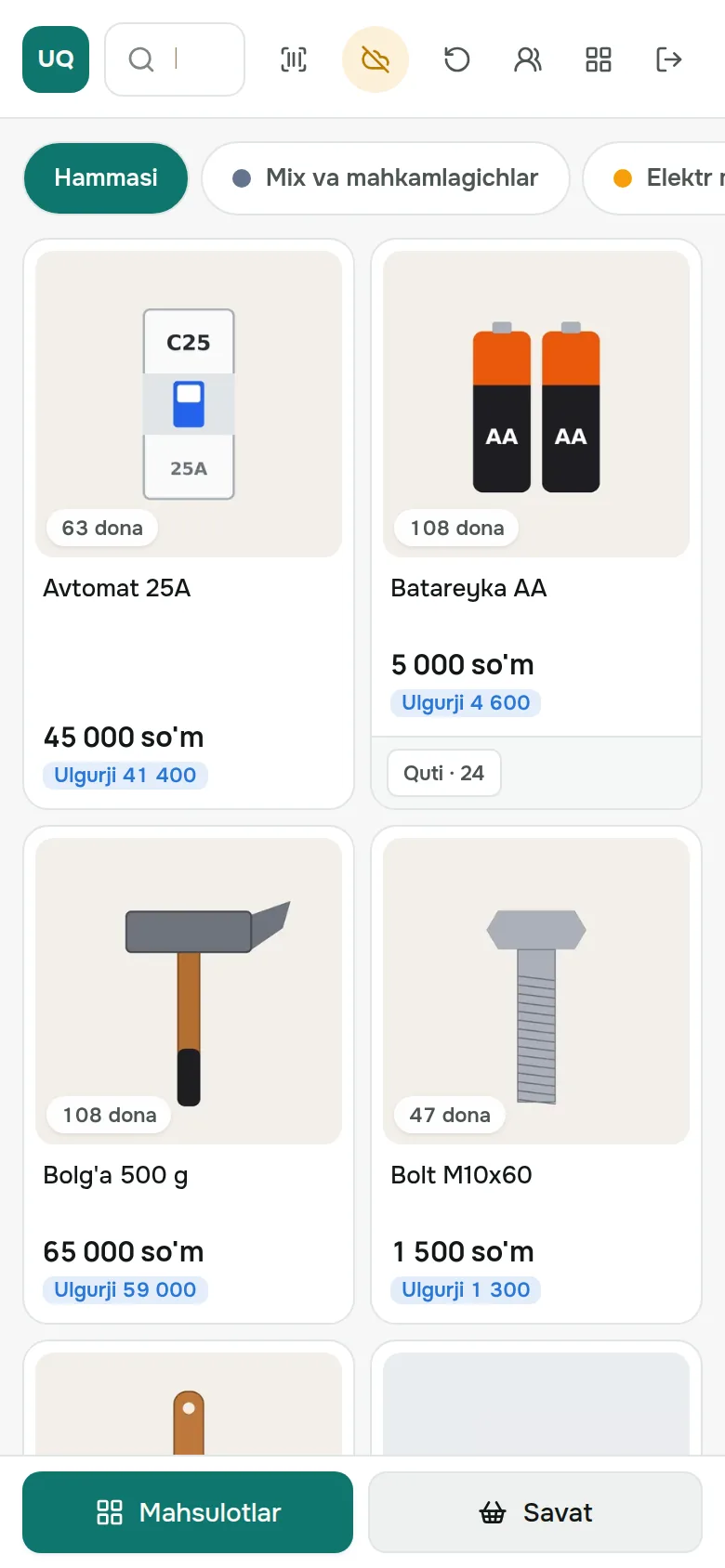
You sell as usual. After payment it says "Internetsiz saqlandi. Internet qaytganda o'zi yuboriladi." (saved offline; it will be sent when the internet is back). The receipt shows an 8-character code instead of a number, for example Chek 3F9A21C7. Once the server has the sale, it gives it an ordinary number.
The same happens with a slow connection: if the server does not answer within 7 seconds, the sale is kept on the device and sent later. The customer does not wait.
What works and what does not
Section titled “What works and what does not”| Works offline | Needs the internet |
|---|---|
| Search, scanner, camera | Returns (by receipt and without one) |
| Cash, card, transfer, bank transfer, dollars, mixed payment | Xodimni almashtirish (switching staff with a PIN) |
| Credit (the credit limit is checked) | Adding a new customer |
| Discounts (as price control allows) | Signing out |
| Printing receipts | Other pages (Sotuvlar, Mahsulotlar, reports and so on) |
Other pages show "Internet yo'q. Kassa ishlayveradi..." (no internet, the till keeps working) at the top and a Kassaga o'tish (go to the till) button. Once the internet is back, the pages refresh by themselves.
When Narx nazorati (price control) is set to Taqiqlash (block), a cashier sells only at the shop's prices offline: discounts wait for the internet. More: Discounts.
Sales not yet sent
Section titled “Sales not yet sent”Tap the pill at the top of the till: the Yuborilmagan sotuvlar (unsent sales) window opens. Each sale shows its code, amount, time, seller and status (Kutmoqda, waiting, or Xato, error). You can reprint a receipt from here.
Once the internet is back, the sales are sent by themselves. To send them now, tap Hozir yuborish (send now).
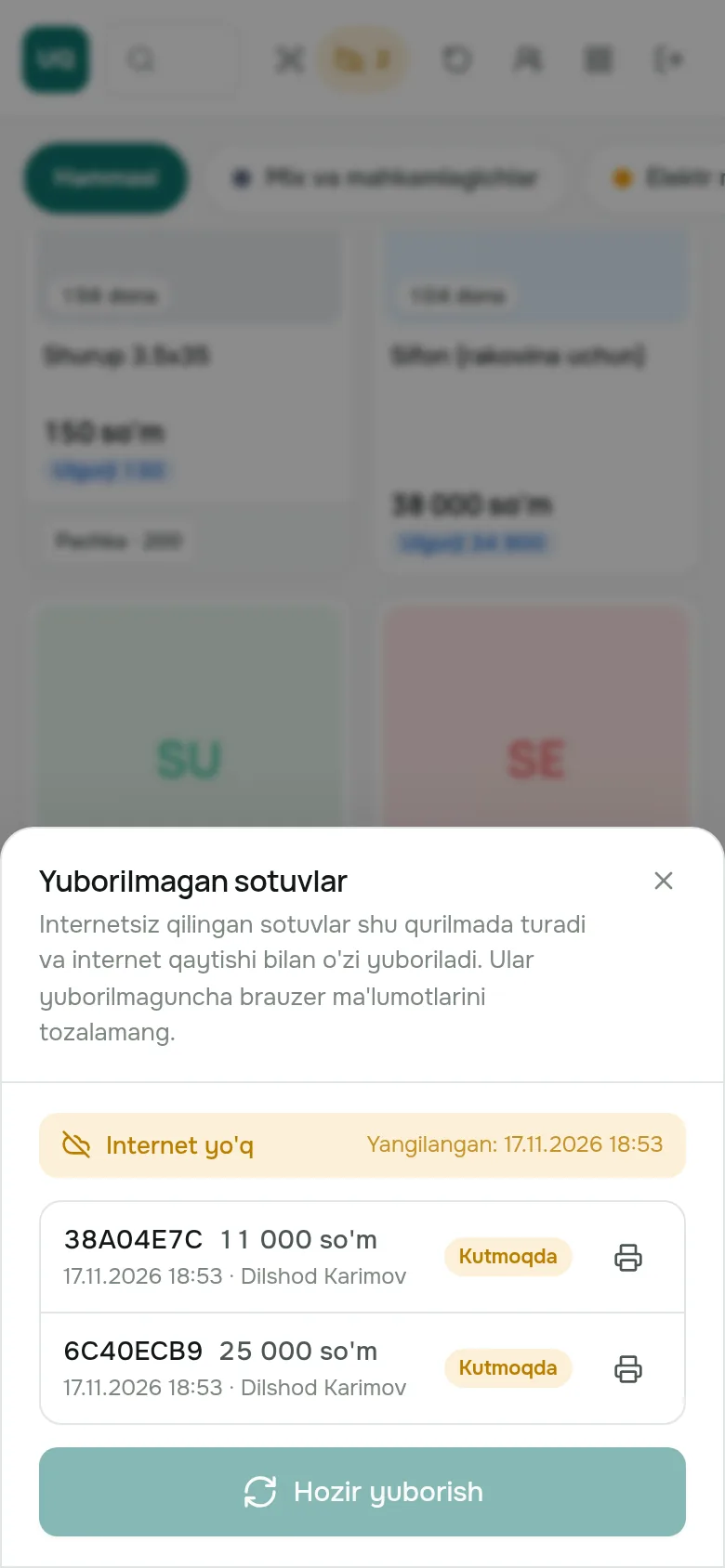
Qayta kiring (sign in again). If the pill says Qayta kiring, the sign-in has expired. Sign in again with your login and password: the queued sales are kept and are not lost.
The 48-hour limit
Section titled “The 48-hour limit”If a sale waits unsent for more than 2 hours, the pill turns red. After 48 hours the till makes no new sales offline: it says "48 soatdan beri yuborilmagan sotuvlar bor. Avval internetga ulaning..." (some sales have not been sent for 48 hours; connect to the internet first). Connect to the internet: once the sales are sent, the till works again.
After the internet is back
Section titled “After the internet is back”Sales are recorded at the time they were made (not when they were sent). The server takes every sale and marks things the till could not know, for example:
- the stock went below zero (when Qoldiq yetmasa ham sotishga ruxsat berish, allow selling when stock runs short, is off in Sozlamalar → Do'kon);
- the customer's credit limit was passed;
- the price had changed in the meantime;
- price control could not check the cost;
- the sale arrived more than 48 hours late.
The owner or a manager sees such sales on the Sotuvlar (Sales) page: a line at the top, "Internetsiz qilingan 2 ta sotuvni tekshirish kerak" (2 offline sales need checking), and a Tekshirish kerak (needs checking) button. Open the sale, read the notes and tap Tekshirildi (checked).
The Bosh panel (Dashboard) and Kassa hisobi (Cash control) pages show which till still holds unsent sales, for example "Sotuvchi: 3 ta sotuv (450 000 so'm) serverga yetib kelmagan" (3 sales, 450 000 so'm, have not reached the server), with the staff member's name in place of "Sotuvchi".
With Kassa hisobi on, offline sales that arrive after a day was closed are shown separately in that day's difference. More: Cash control.
Switching offline selling off
Section titled “Switching offline selling off”If you do not want the till to sell offline, the owner or a manager switches off Internetsiz sotish in Sozlamalar → Imkoniyatlar. Then the till does not sell without the internet and says "Internet yo'q, internetsiz sotish esa o'chirilgan" (no internet, and offline selling is switched off).
Questions
Section titled “Questions”The internet dropped. Is the money I took lost? No. The sale is kept on the device and sent when the internet is back. Just do not wipe the device before the sales are sent.
The till did not open without the internet. On this device the till has never been opened with the internet, the app was not installed, or the browser's data was cleared. Open the till once with the internet.
I changed a price, and a till that was offline sold at the old price. The till gets the new price once the internet is back. A sale made at the old price in the meantime is marked by the server: "kassa ... dan sotdi, narx esa ... ga o'zgargan edi" (the till sold at ..., but the price had changed to ...).
Two offline tills sold the same last item. Both sales are accepted and the stock goes below zero. With Qoldiq yetmasa ham sotishga ruxsat berish off, the sale also lands in Tekshirish kerak. Fix the stock with a stock count.