Dollar rate
A shop that works with dollars types its own rate every day. It is not the Central Bank's rate: you type the rate the shop actually works at today.
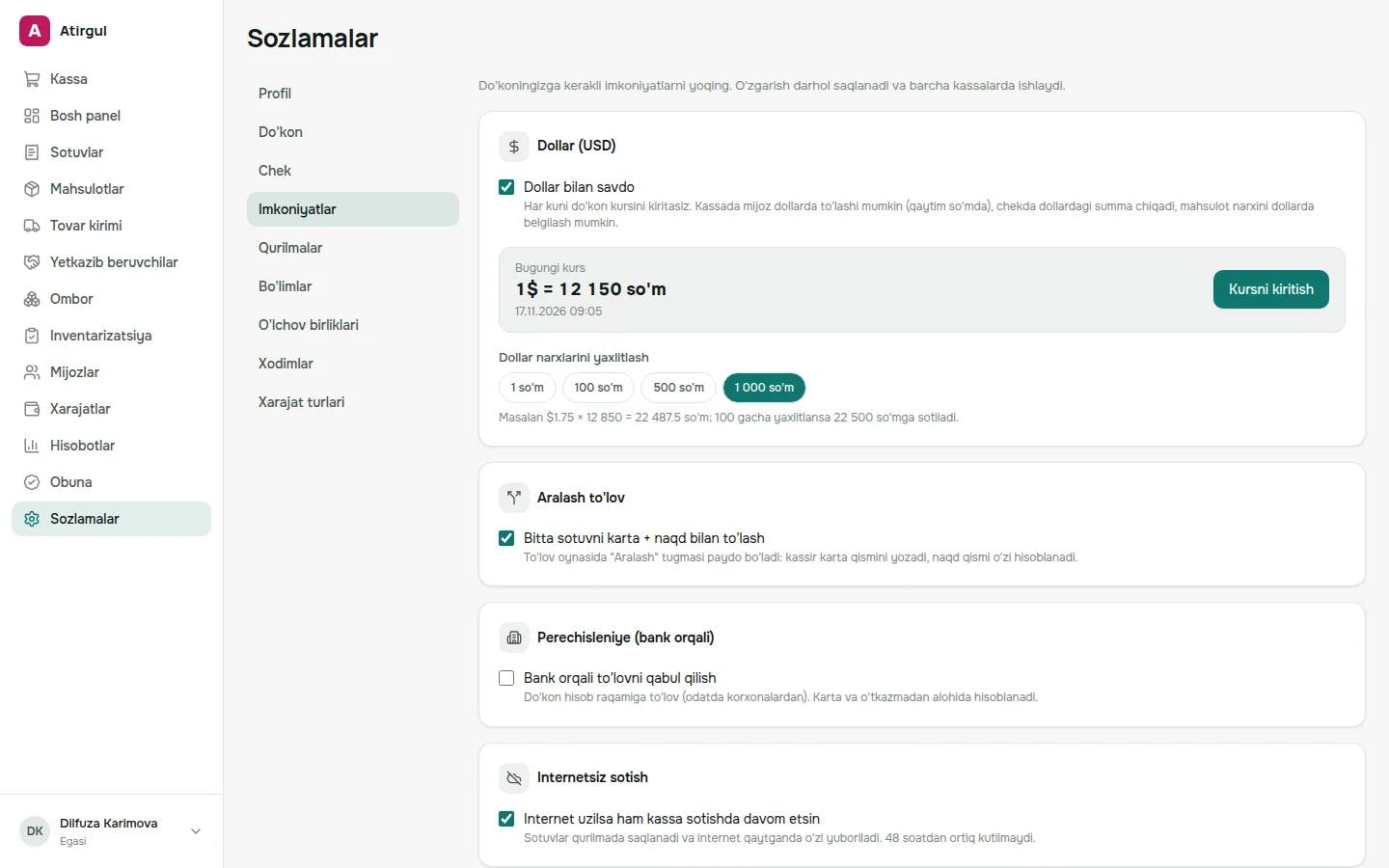
First switch dollars on: Sozlamalar → Imkoniyatlar → Dollar bilan savdo (Settings → Features → Trade in dollars) (Features).
The shop owner or the manager types the rate. A cashier sees the rate but cannot change it.
Typing the rate
Section titled “Typing the rate”-
Press the rate button. It is in three places:
- at the top of the Bosh panel (Dashboard), for example
1$ = 12 850; - at the top of the Kassa (Till) (on a phone only the $ sign shows);
- in the Sozlamalar → Imkoniyatlar → Dollar (USD) block: the Kursni kiritish (Enter the rate) button.
- at the top of the Bosh panel (Dashboard), for example
-
In the Dollar kursi (Dollar rate) window, type today's rate in 1 dollar uchun so'm (So'm for 1 dollar), for example
12 850.The Markaziy bank kursi (Central Bank rate) shows under the field. To use that rate, press Shuni olish (Use this one).
-
Press Saqlash (Save).
After saving, a message such as "Kurs saqlandi. 12 ta mahsulot narxi yangilandi." (Rate saved. 12 product prices updated.) appears: that many products moved to the new rate in so'm.
At the bottom of the window is the Oxirgi kurslar (Recent rates) list: when each rate was typed, by whom and how much.
What happens when the rate changes
Section titled “What happens when the rate changes”- Products priced in dollars are worked out again in so'm by themselves: sale price, wholesale price and cost.
- Sale and wholesale prices are rounded to the step the shop chose: 1, 100, 500 or 1 000 so'm (Dollar narxlarini yaxlitlash, Round dollar prices). Half a step or more rounds up. The cost is not rounded: it stays exact to the so'm.
- Products priced in so'm do not change.
- Past sales do not change: each sale remembers the rate it was made at.
- Debts and refunds stay in so'm.
Example. A perfume is priced at $25, rounding to 1 000 so'm. At 12 850: 25 × 12 850 = 321 250 → 321 000 so'm. Next day at 12 700: 25 × 12 700 = 317 500 → 318 000 so'm.
Dollar payments at the till
Section titled “Dollar payments at the till”- In the payment window, pick Dollar and type the dollars the customer gave (Mijoz berdi (dollar), Customer gave, dollars). Change is given in so'm.
- If the dollars are not enough, you take the rest in so'm cash: the window shows Qolganini so'mda naqd oling (Take the rest in so'm cash) and the amount.
- If no rate has ever been typed, the till says "Dollar kursi kiritilmagan: dollar bilan to'lov o'chiq." (No dollar rate: dollar payment is off.)
- If today's rate was not typed, dollar payment still works, but a "Kurs bugun yangilanmagan" (Rate not updated today) warning shows.
- If the rate is changed on another device during payment, the sale does not go through. The till takes the new rate: the cashier checks the amount and confirms again.
More: Payment.
Dollars on the receipt
Section titled “Dollars on the receipt”The receipt can also show the total in dollars: Sozlamalar → Chek → Jami summani dollarda ham ko'rsatish (Settings → Receipt → Also show the total in dollars). If the customer paid in dollars, that payment always prints. More: Receipts.
Questions
Section titled “Questions”Can't the app take the Central Bank rate by itself? No, the shop types its rate: the market rate is often different. The Central Bank rate is only shown next to it, and you can take it with one button.
What if the rate changes twice a day? Type the new rate again. Every rate stays in the history, and dollar prices move to the latest one.
How do I price a product in dollars? On the product card, switch the so'm / $ button next to the price to $. More: Prices.
Can a cashier type the rate? No. The till shows the rate, but only the owner and the manager change it.