Sales history
The Sotuvlar (Sales) page keeps every receipt: when it was sold, who sold it, to whom, how much and how it was paid. From here you reprint receipts, make returns and see who sold how much. Labels are given as the Uzbek app shows them.
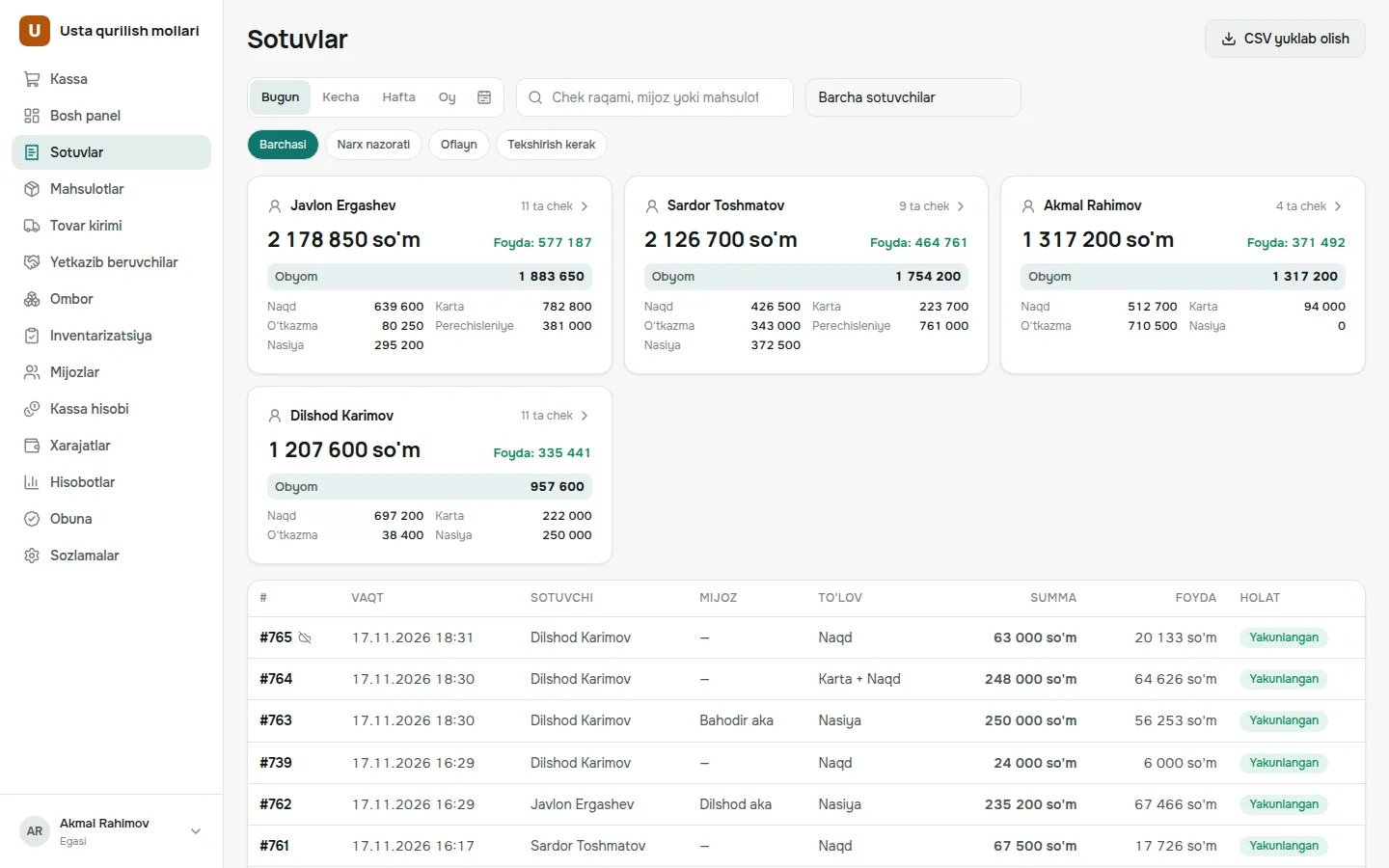
Finding a receipt
Section titled “Finding a receipt”- Period: Bugun (today), Kecha (yesterday), Hafta (week), Oy (month), or dates of your own choice with the calendar icon.
- Search: receipt number, customer name or phone, product name.
- Barcha sotuvchilar (all sellers): see one seller's sales. The owner and managers have this choice.
- Buttons: Barchasi (all), Narx nazorati (sales let through by price control), Oflayn (offline) and Tekshirish kerak (needs checking, for offline sales). They show only when needed.
Marks in the list:
- a shield: the sale went through price control with approval;
- a cloud: the sale was made offline (red if it needs checking);
- Ulgurji: sold at wholesale prices.
On a phone the table is shorter: the time and seller sit under the receipt number, the way of paying under the amount.
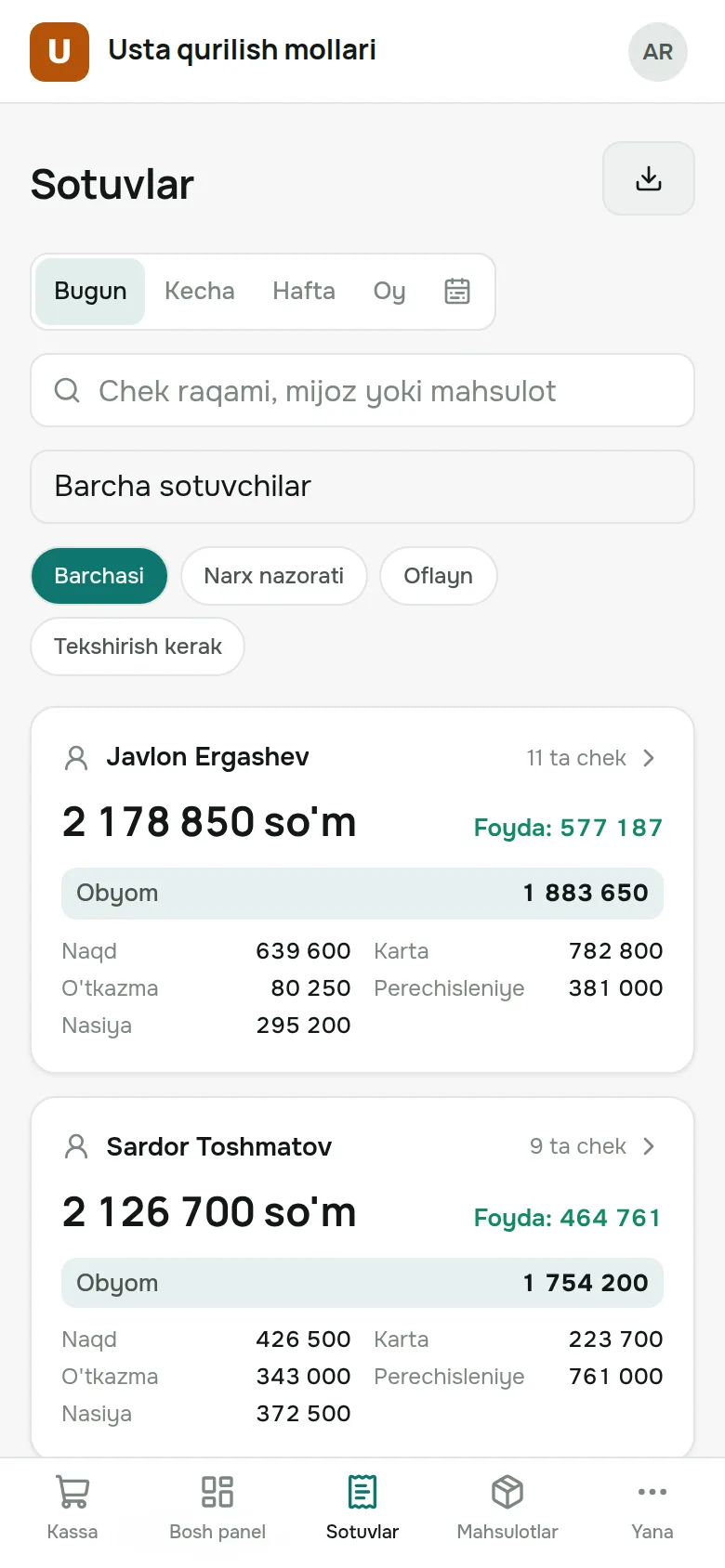
Seller cards
Section titled “Seller cards”Above the table there is a card for each seller: the number of receipts in the chosen period, takings, amounts by way of paying (Naqd, Karta, O'tkazma, Nasiya and so on) and the refunded amount. The owner and managers also see Foyda (profit). With Sotuvchi obyomi (seller's sales volume) on, they see Obyom too.
Tapping a card opens the seller's page: takings, average receipt, returns, discounts they gave, ways of paying, a chart and their best sellers. More: Sellers.
One sale
Section titled “One sale”Tap the receipt number. The top of the sale's page shows the date, the seller and the till's name. Below it:
- the products: quantity, price, amount, discount and how much came back;
- Oraliq jami (subtotal), Chegirma (discount), Jami (total), Qaytim (change) and the customer (tap the name to open the customer's page);
- To'lovlar (payments): how it was paid; for dollars, with the rate;
- Qaytarishlar (returns): goods returned from this receipt;
- for the owner and managers: Tannarx (cost) and Foyda (profit).
If the sale went through price control with approval, a separate box says what was broken and who approved it.
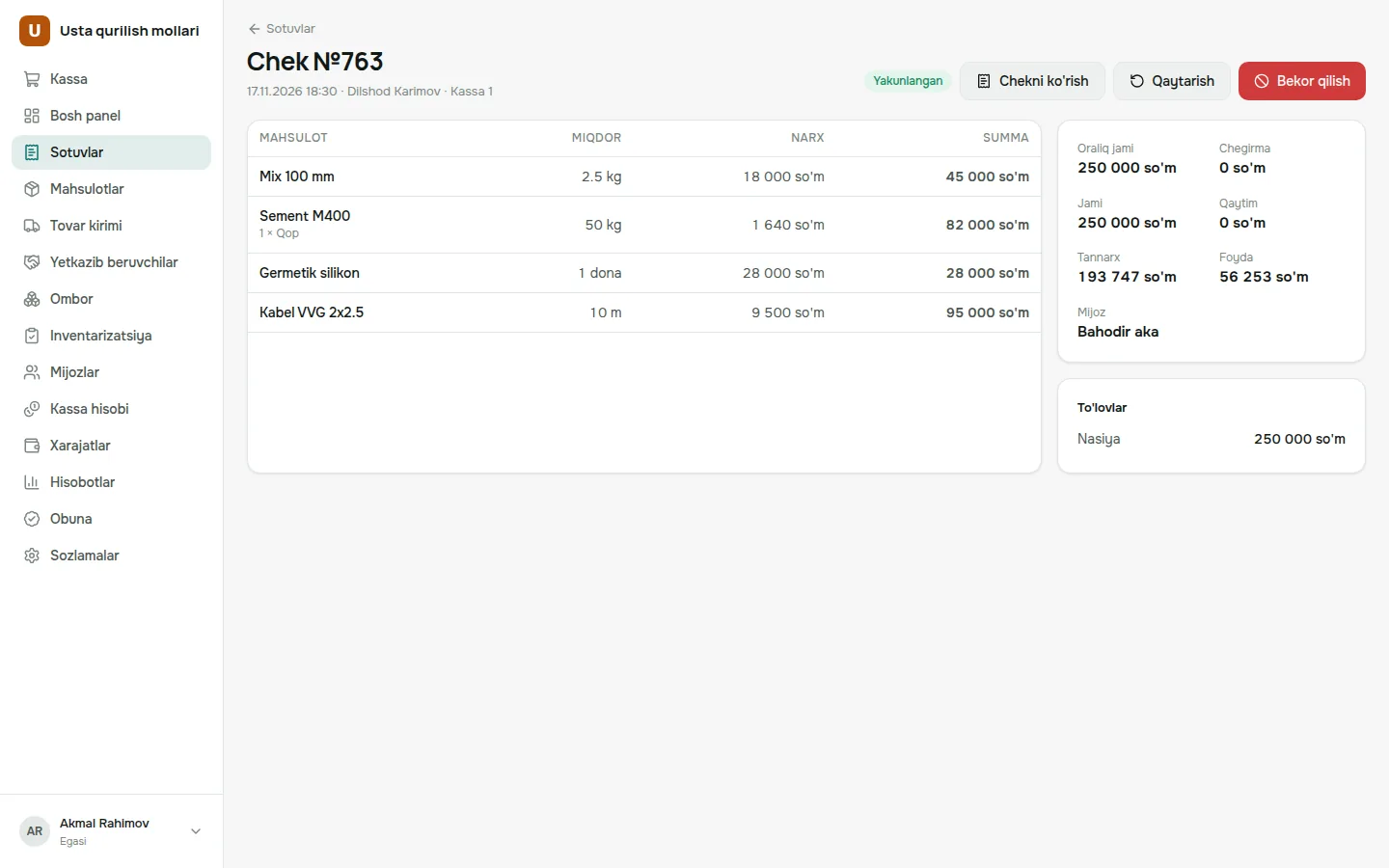
The buttons at the top:
- Chekni ko'rish (view receipt): open, print, save as a picture, share. More: Receipts.
- Qaytarish (Return): Returns.
- Bekor qilish (Cancel; owner and managers): cancels a sale entered by mistake. The products go back into stock and any credit is removed. Works only on a sale with nothing returned yet.
Sale statuses
Section titled “Sale statuses”| Status | Meaning |
|---|---|
| Yakunlangan | A normal sale (completed) |
| Qisman qaytarilgan | Part of it was returned |
| Qaytarilgan | All of it was returned |
| Bekor qilingan | Cancelled as a mistake |
Sales made offline
Section titled “Sales made offline”The page of a sale made offline says "Bu sotuv internetsiz qilingan va keyin yuborilgan." (this sale was made offline and sent later). If the server marked something (stock went below zero, a price had changed and so on), a red box lists it. The owner or a manager reads it and taps Tekshirildi (checked): the sale leaves the Tekshirish kerak list. More: Working offline.
What a cashier sees
Section titled “What a cashier sees”A cashier sees only the receipts they made and only their own card. Cost and profit are hidden from them. There is no choice of seller either.
Downloading a file
Section titled “Downloading a file”The owner downloads the chosen period's sales as a file with CSV yuklab olish (download CSV) at the top of the page. The file opens in a spreadsheet program such as Excel. Other reports: Reports.
Questions
Section titled “Questions”How do I see who sold how much yesterday? Tap Kecha (yesterday): the seller cards show each one's takings and ways of paying.
I need all of one customer's purchases. Type the customer's name into the search, or look at Xaridlar (purchases) on the customer's page.
Where is a deleted sale? Sales are never deleted, only cancelled. It stays in the list as Bekor qilingan.
Can a cashier cancel a sale? No. Only the owner and managers cancel sales.