Shoe shop
Every shoe model comes in several sizes and colours, each pair in its own box, and the box usually has a factory barcode. In the app you create one model: every size and colour is counted separately and sells with the code on its box.
Set up once
Section titled “Set up once”-
Switch on O'lcham va ranglar (Sizes and colours) in Sozlamalar (Settings) → Imkoniyatlar (Features).
-
O'lcham va ranglarni sozlash (Set up sizes and colours): the ready-made Poyabzal (shoes) list has sizes 16 to 45 (children and adults). If you need 46, 47 or half sizes, edit the list and add them:
46 47 37.5(half sizes with a dot). New values go to the end of the list: move37.5up after37with the arrows and tap Saqlash (Save). Then the sizes stay in order at the till too. -
Check the colour list: Qora, Oq, Jigarrang, Bej (black, white, brown, beige)... Add any colour you need.
-
Switch on Yorliq (Labels): for boxes without a factory code.
-
Categories: Men, Women, Children, Sport, Slippers, Shoe care.
One box = one pair. Leave the model's unit as dona (piece): 1 piece = 1 pair. If you want it to read "pair", add a juft unit (type Dona) in Sozlamalar → O'lchov birliklari (Units of measure) and pick it in the model's Qo'shimcha sozlamalar (More settings) → O'lchov birligi (Unit) (Units of measure).
Your first model
Section titled “Your first model”Example: Krossovka Run (Run trainers), article CN-9001, sizes 36-41, white and black, price 249 000 so'm.
-
Mahsulotlar (Products) → Yangi model (New model). Model nomi:
Krossovka Run, Artikul (Article):CN-9001, Bo'lim (Category): Sport. -
Narx (1 dona) (Price):
249 000, Tannarx (1 dona) (Cost):150 000. -
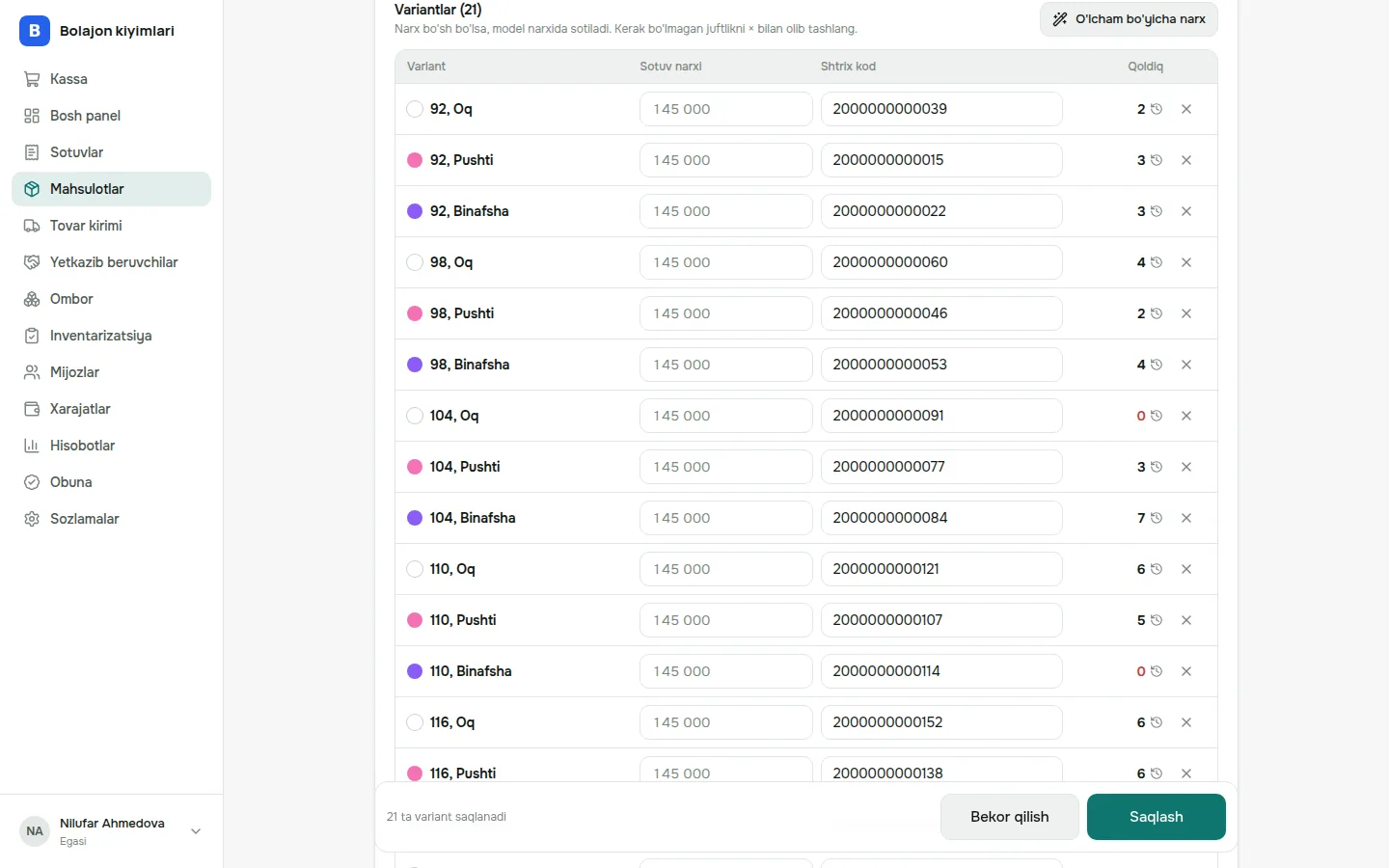
O'lcham (Size): the Poyabzal list → 36 to 41. Rang (Colour) → Oq, Qora. Variantlar (12) appears.
-
Enter the box codes: tap the barcode field of each variant row and scan the box of that size and colour. On a phone, tap the row to open its barcode field and scan with the camera button.
-
Boxes without a code get one from Shtrix kodsizlarga do'kon kodi berilsin (Give shop codes to those without a barcode). Saqlash (Save).
When goods arrive
Section titled “When goods arrive”-
Tovar kirimi (Goods receiving) → Yangi kirim (New receipt) → supplier.
-
Two ways:
- Scan the boxes. Scanning a box adds that size and colour as a new line, with the cursor in Miqdor (Quantity): type how many boxes of that size came. Tap an empty part of the page before scanning the next box, or the code's digits are typed into the quantity (Goods receiving).
- Use the grid. Tap the model in the search: the size grid opens. If the supplier delivers runs (one each of 36-41), tap +1 seriya (+1 run) above the colour.
-
Check the price and tap Qabul qilish (Receive).
For boxes without a code, tap Yorliq (Label) on the received receipt and stick a label on each box.
At the till
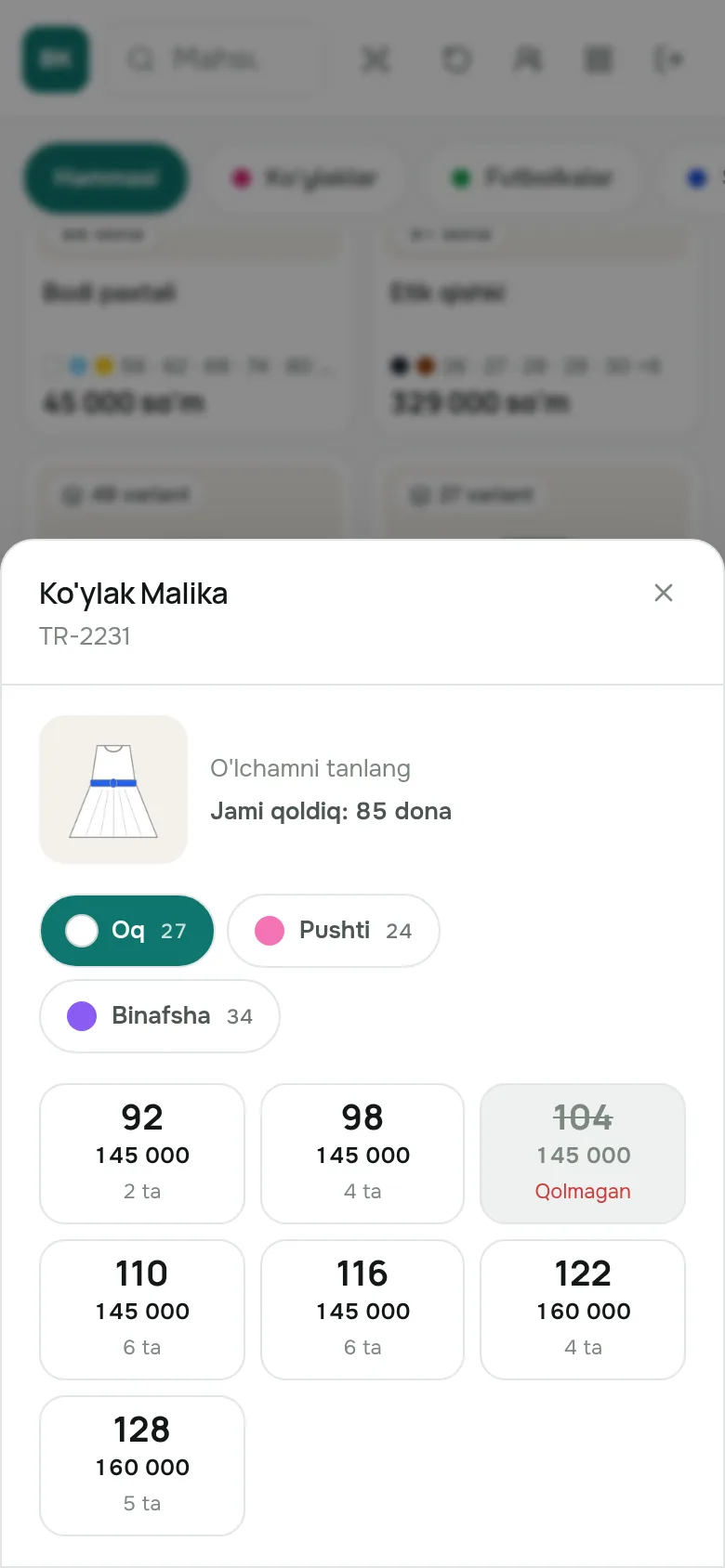
Section titled “At the till”- Scan the box: exactly that size and colour goes into the basket.
- Or tap the model: pick the colour and size. Each size shows how many are left; sold-out ones show Qolmagan (Out of stock).
The receipt reads Krossovka Run (38, Oq).
Everyday questions
Section titled “Everyday questions”A customer wants another size. Make a return of the pair, then sell the size they need.
One model's sizes have different prices. O'lcham bo'yicha narx (Price by size) on the model page: tick the sizes and type the price (Sizes and colours).
Are children's and adult shoes in one list? Yes, the Poyabzal list runs from 16 to 45. In each model tick only the sizes you need.
Shoe polish, laces, insoles. They are ordinary products: add them without sizes (Adding a product).
Two different sizes' boxes have the same code. A code can be on only one product. Give one a shop code and stick a label on it (Barcodes).