Cosmetics shop
A cosmetics shop has hundreds of small items, almost all with a factory barcode, many bought in dollars. The main work: enter products quickly, keep prices in dollars and sell with a scanner at the till.
Set up once
Section titled “Set up once”-
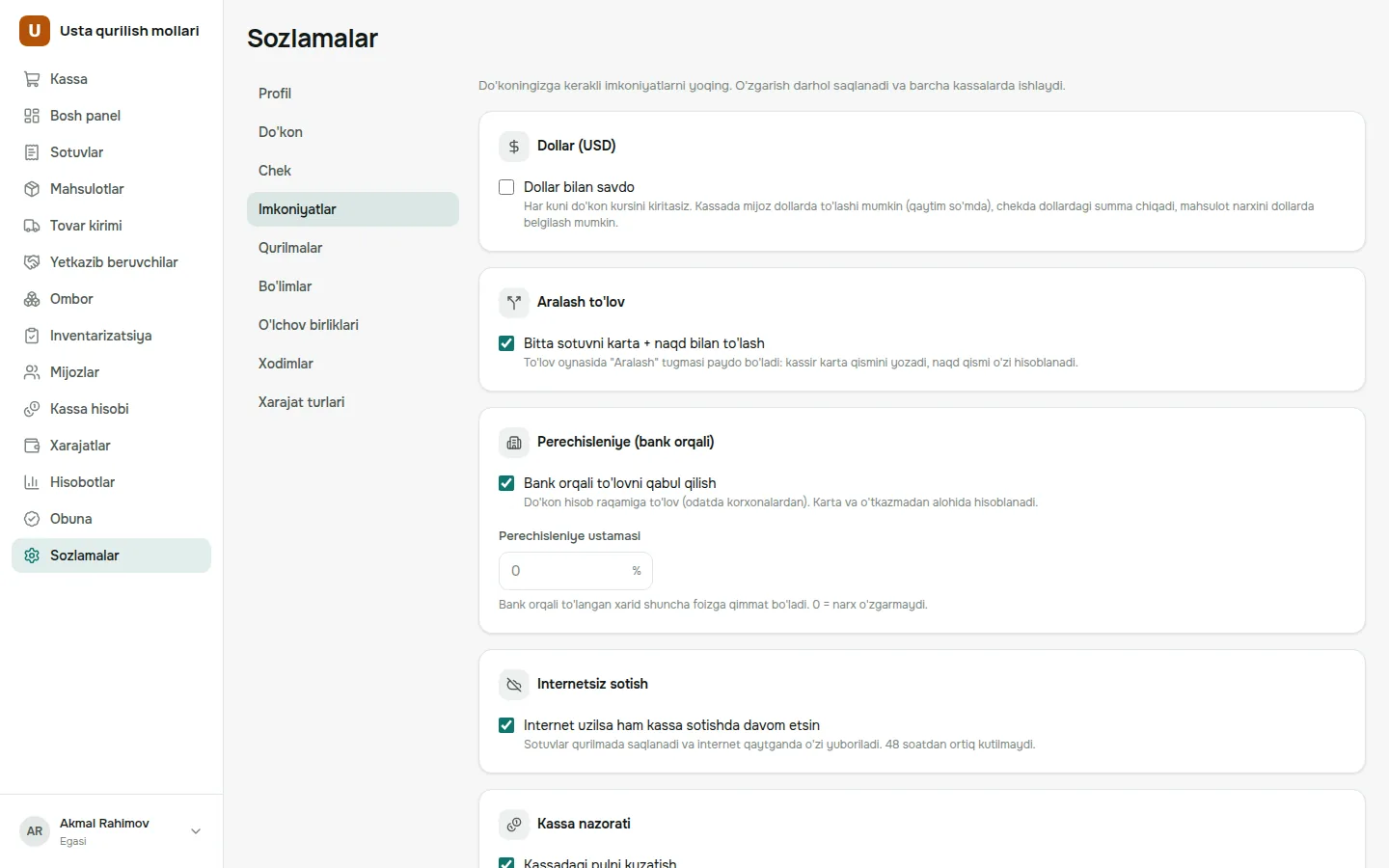
Switch on Sozlamalar (Settings) → Imkoniyatlar (Features) → Dollar (USD) → Dollar bilan savdo (Trade in dollars).
-
Dollar narxlarini yaxlitlash (Round dollar prices): what the till's so'm price is rounded to. For cosmetics usually 100 or 500.
-
Type today's rate: Kursni kiritish (Enter the rate) → 1 dollar uchun so'm (So'm per dollar). The rate is typed every morning (Dollar rate).
-
Switch on Yorliq (narx etiketkasi) (Labels), size 40×30 mm.
-
Categories: Face care, Hair, Make-up, Body care, Hygiene, Perfume.
-
Connect a scanner or use the phone camera (Barcodes).
Adding products fast
Section titled “Adding products fast”With the Mahsulotlar (Products) page open, scan an item. If the shop does not have the code yet, a Yangi mahsulot (New product) page opens by itself with the code filled in:
-
Scan the item: the Shtrix kod (Barcode) fills in.
-
Nomi (Name):
Krem namlovchi 50 ml(moisturising cream). Bo'lim (Category): Face care. -
On a phone, take a picture with Rasmga olish (Take photo): small items are easy to find by photo at the till.
-
Type the prices (in dollars, see below) and the Hozirgi qoldiq (Current stock).
-
Saqlash (Save): you are back at the list. Scan the next item.
For a very long list (hundreds of items) you can load a CSV file with Import: CSV file.
Prices in dollars
Section titled “Prices in dollars”Example: a cream bought at $3.40, sold at $5.50, rate 12 850, rounding 100.
-
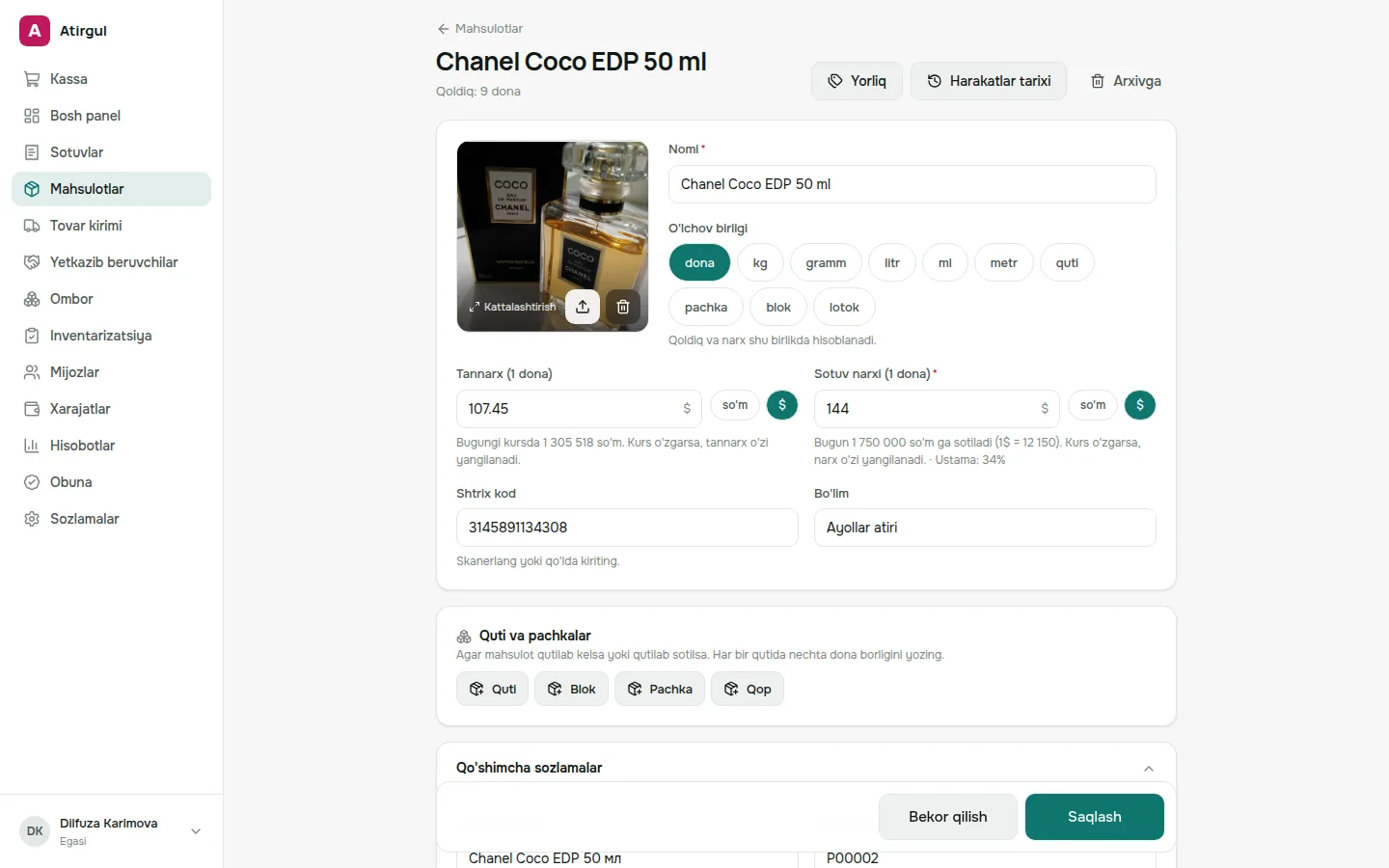
On the product page, next to Tannarx (1 dona) (Cost), pick $ on the so'm / $ switch:
3.40. Underneath: Bugungi kursda 43 690 so'm (At today's rate 43 690 so'm). -
Next to Sotuv narxi (1 dona) (Sale price) pick $:
5.50. Underneath: Bugun 70 700 so'm ga sotiladi (1$ = 12 850) (Sells at 70 700 so'm today; 5.50 × 12 850 = 70 675, rounded to 100) and the markup. -
Saqlash.
If tomorrow's rate is 12 900 and you type it, the so'm price of this cream and of every dollar-priced product is recalculated by itself. The till, receipts and reports work in so'm; a customer can also pay in dollars (change in so'm, Payment). More: Prices in dollars.
One item, several codes
Section titled “One item, several codes”One cream comes from two suppliers with different codes, or its pack was redesigned. Do not make a second product: open the product and scan the new code into Qo'shimcha sozlamalar (More settings) → Qo'shimcha shtrix kodlar (Extra barcodes). Both codes find this cream at the till, and stock is one.
When goods arrive: a receipt in dollars
Section titled “When goods arrive: a receipt in dollars”-
Tovar kirimi (Goods receiving) → Yangi kirim (New receipt) → supplier.
-
Narxlar valyutasi (Price currency): $.
-
Scan the items. Type the Miqdor (Quantity) and the dollar price on each line:
3.40(receipts take up to 2 decimals, to the cent). Tap an empty part of the page before scanning the next item (Goods receiving). -
The total shows in dollars with today's so'm under it. Qabul qilish (Receive).
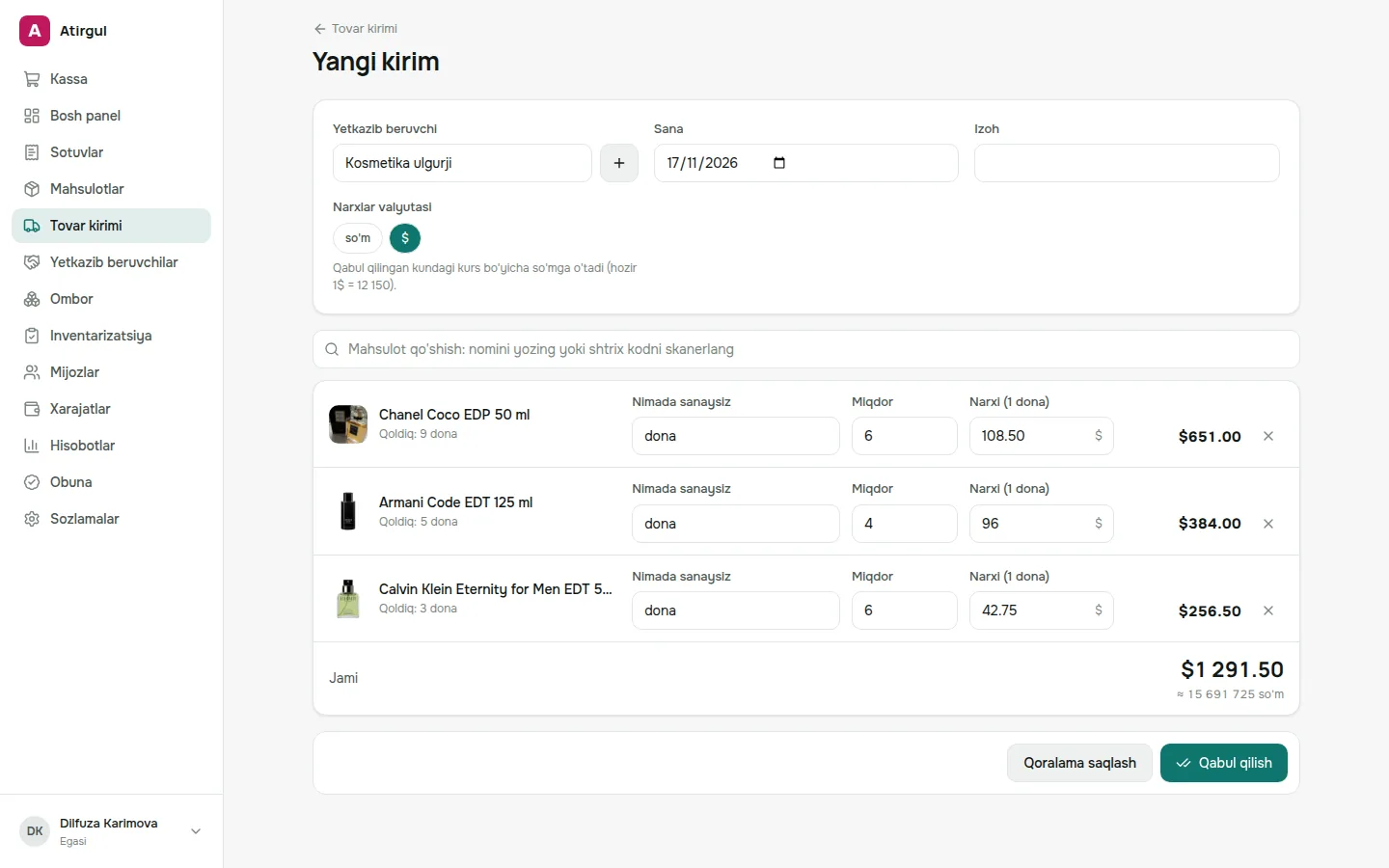
The goods convert to so'm at the shop's rate at the moment they are received, so type today's rate before receiving. A product whose cost is in $ on its product page averages its cost in dollars, and its so'm cost is worked out again at every new rate. A product whose cost is in so'm keeps it in so'm.
Then tap Yorliq (Label) on the receipt: one label for every piece that arrived.
At the till
Section titled “At the till”- Scan the item: it goes into the basket. On a phone, the camera button next to the till search.
- The till buttons show at most 120 products under Hammasi (All) or in one category. In a shop with a thousand items use search and the scanner: they find any product.
- If the rate was not updated today, a reminder appears: Kurs bugun yangilanmagan (The rate was not updated today). If no rate was ever typed, paying in dollars is off.
Everyday questions
Section titled “Everyday questions”Who types the rate? The owner or the manager. A cashier cannot type the rate.
One product's markup suddenly became huge. Promotional goods that came free may have been received at price 0: they lower the average cost. That is not a mistake: the goods really cost less.
I switched to so'm and back, and the price changed. If you switch from $ to so'm and back without typing anything, the dollar price you typed comes back exactly. If you type a so'm price by hand, it is cut loose from the dollar.
With a Bluetooth scanner, the iPhone keyboard does not appear. The iPhone treats the scanner as a keyboard and hides the on-screen one. Find in the scanner's booklet how to bring the keyboard back, or use the camera (Barcodes).
We also sell wholesale. Switch on Ulgurji narx (Wholesale price): every product gets a wholesale price, which can be in dollars too (Wholesale price).