Discounts
You give a discount in two ways: on one product (a line discount) or on the whole purchase (a basket discount). Both print on the receipt as their own lines. Cashiers give discounts as well as the owner and managers. When Narx nazorati (price control) is on, a large discount has to be confirmed or approved. Labels are given as the Uzbek app shows them.
A discount on one product
Section titled “A discount on one product”-
Tap the product name in the basket.
-
Type the discount in so'm into Qator chegirmasi (line discount), for example
5 000. -
The new Summa (amount) shows below. Tap Saqlash (Save).
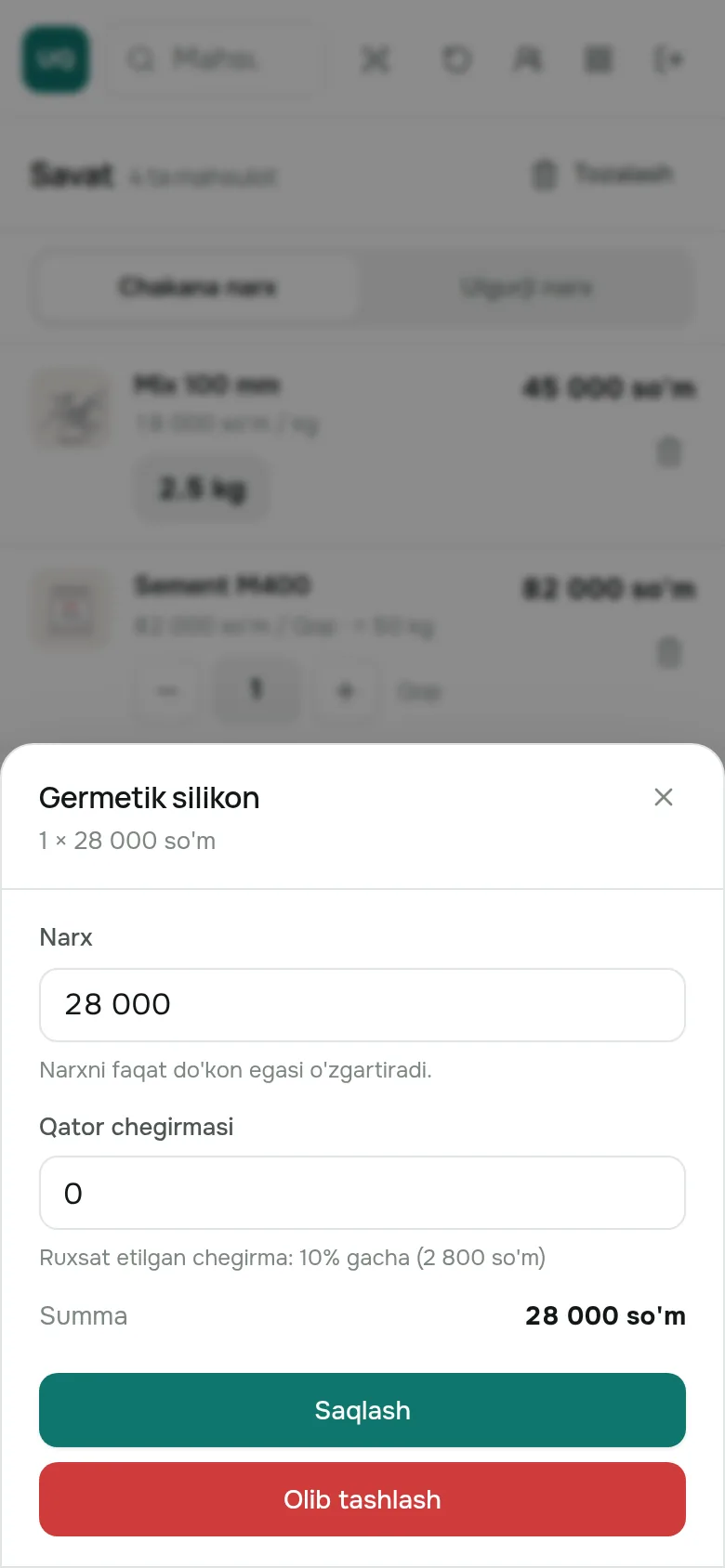
Only the owner or a manager can change the Narx (price) field in this window. For a cashier the field is locked, with "Narxni faqat do'kon egasi o'zgartiradi." (only the shop owner changes the price) underneath.
A discount on the whole basket
Section titled “A discount on the whole basket”-
Tap the Chegirma (discount) button at the bottom of the basket.
-
Choose Summa (an amount in so'm) or %.
-
Type the number. With % chosen, the discount in so'm shows underneath.
-
Tap Qo'llash (Apply).
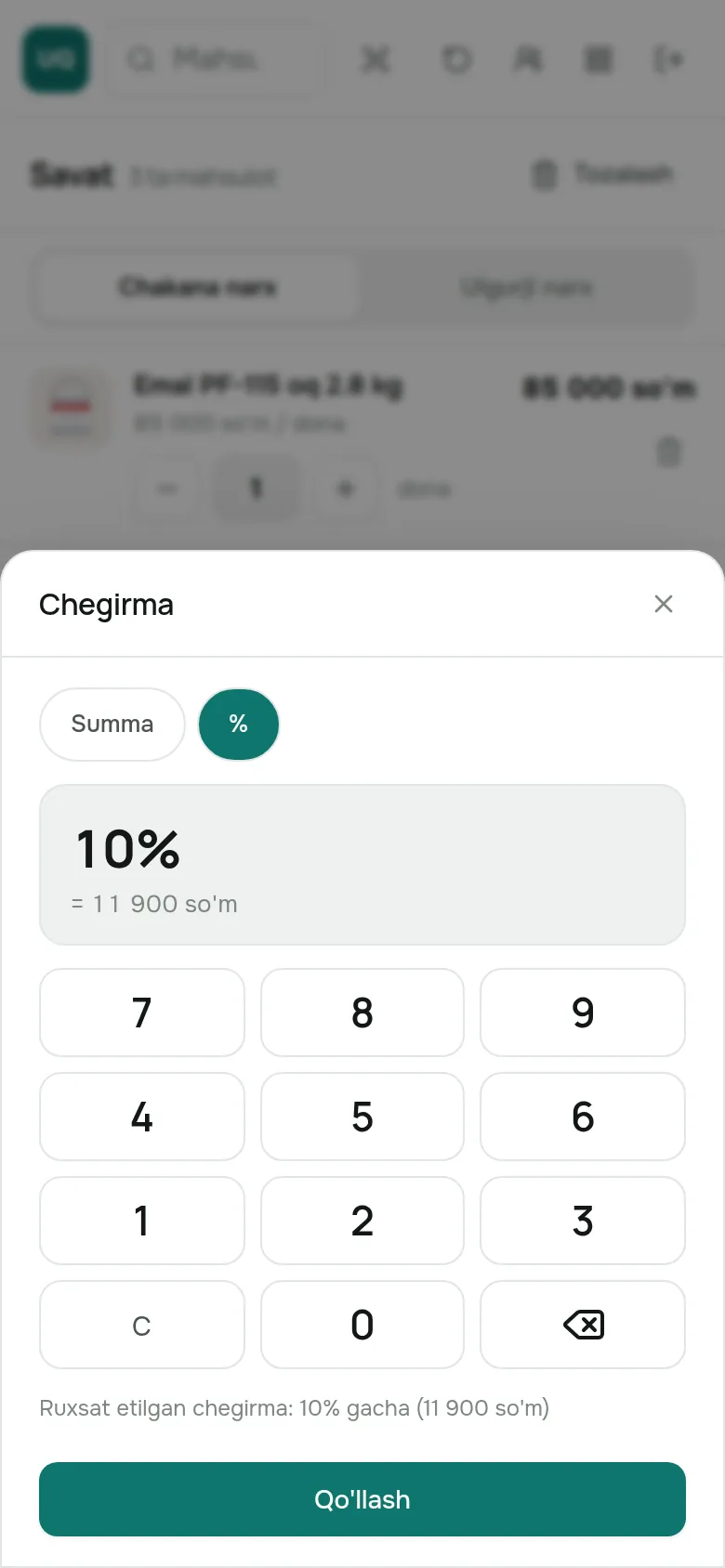
The Chegirma button now shows the discount (for example "−5 000"), with Oraliq jami (subtotal) and the new Jami (total) underneath. To cancel it, tap Chegirma again and choose Chegirmani olib tashlash (remove discount).
A basket discount is shared between the products in proportion to each one's amount. If the customer later returns one product, they get back that product's price less its share of the discount.
The customer's last price
Section titled “The customer's last price”When a customer is picked in the basket and they last bought a product at a different price:
- the product's tile shows that price with an amber mark;
- tapping the basket line shows "Bu mijozga oxirgi narx: ..." (this customer's last price) and a Shu narxda (at this price) button.
When the owner or a manager taps Shu narxda, the line's price changes. When a cashier taps it, the difference becomes a discount. A cashier sees the button only when the last price is lower than today's.
This helps you keep to prices agreed with a customer, especially wholesale customers.
Price control
Section titled “Price control”So that cashiers do not give too much discount and goods are not sold at a loss, the owner or a manager switches on the Narx nazorati feature in Sozlamalar → Imkoniyatlar (Settings → Features). There you choose:
- O'chiq (off): nothing is checked (a new shop starts like this).
- Ogohlantirish (warn): the cashier sees the reason and confirms to sell.
- Taqiqlash (block): the cashier cannot sell on their own; the owner or a manager approves with their own PIN.
- Eng katta chegirma (largest discount): for example
10(%). With0, discounts are not limited.
The rule checks each product line on its own: the line's own discount and its share of the basket discount count together. A line breaks the rule when:
- the discount is bigger than the Eng katta chegirma percentage;
- the price goes below the floor. On a retail sale the floor is the highest of the product's Eng past narx (lowest price), the wholesale price (when wholesale is on) and the cost. On a wholesale sale the floor is the cost;
- goods are sold at wholesale prices to someone who is not a wholesale customer (or with no customer).
Only a discount or a lowered price breaks the rule. A product whose own price is set below cost sells at that price (the Zararli narx (priced at a loss) filter on the Mahsulotlar page lists such products).
While you give a discount, the window shows the allowed limit, for example "Ruxsat etilgan chegirma: 10% gacha" (allowed discount: up to 10%). If the discount goes past it, an amber warning shows in the basket.
What happens at the till
Section titled “What happens at the till”Before payment the till checks the basket. If a rule is broken, the Narx nazorati window appears: it says which product was stopped and why, for example "Chegirma 15% — ruxsat 10% gacha" (discount 15%, allowed up to 10%).
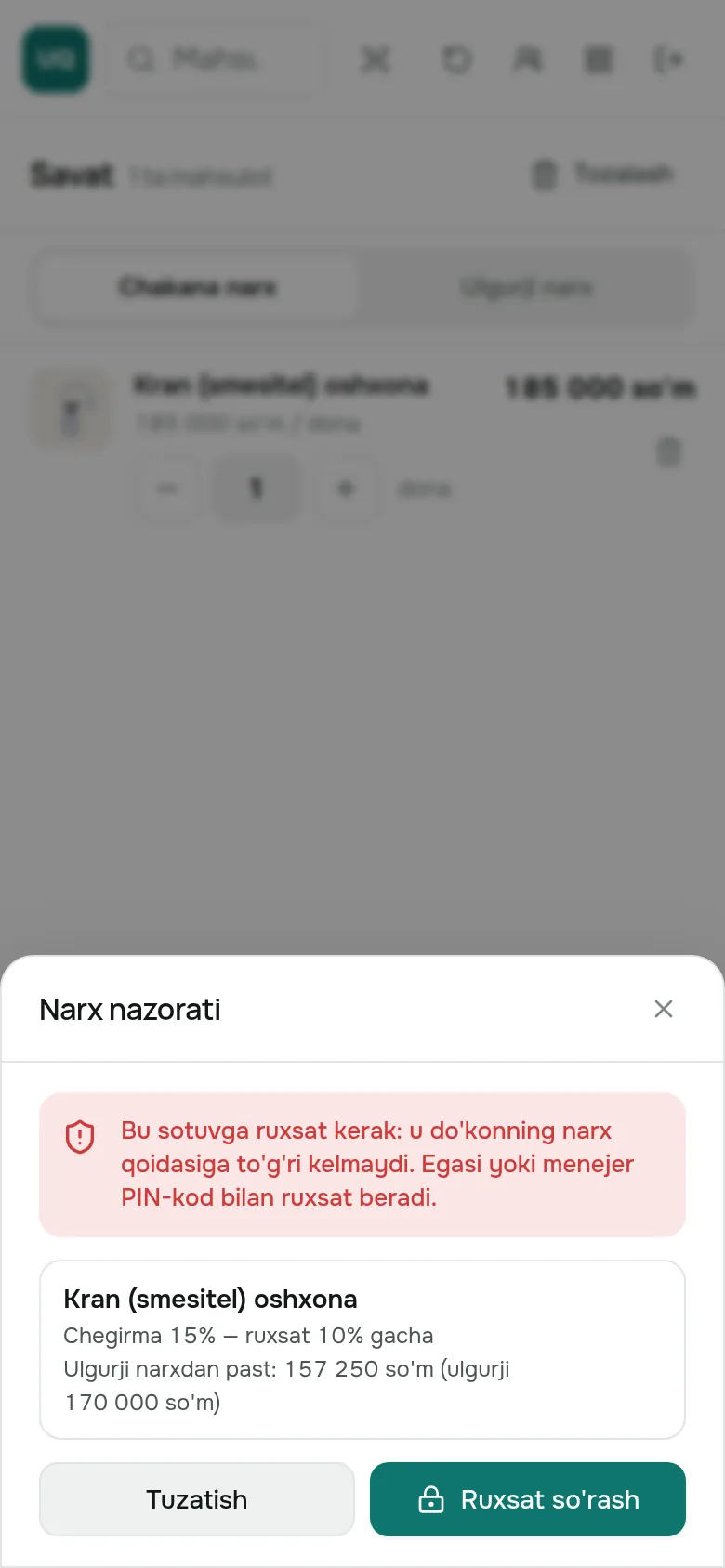
- Tuzatish (fix): back to the basket to lower the discount.
- Baribir sotish (sell anyway; in Ogohlantirish mode): the sale goes on and is marked as confirmed.
- Ruxsat so'rash (ask for approval; in Taqiqlash mode):
-
Tap Ruxsat so'rash.
-
From Kim ruxsat beradi? (who approves?) pick the owner or a manager.
-
They type their own PIN and tap Ruxsat berish (approve).
-
The payment window opens: take the money.
When the owner or a manager is selling themselves, no PIN is asked even in Taqiqlash mode: they go on with Baribir sotish.
Without the internet
Section titled “Without the internet”- Ogohlantirish: the cashier confirms and sells; the server checks the sale once the internet is back.
- Taqiqlash: the cashier can sell only at the shop's price. Discounts and lowered prices wait for the internet, and a PIN approval needs the internet too.
Where it shows later
Section titled “Where it shows later”The Narx nazorati filter on the Sotuvlar (Sales) page lists the sales that went past price control, confirmed or approved. The sale's page says which rule was broken and who let it through ("Ruxsat bergan: ...", approved by). More: Sales history.
Questions
Section titled “Questions”Can a cashier give a discount? Yes, both line and basket discounts. To limit discounts, switch on Narx nazorati.
Can a discount be a percentage? For the basket discount, yes: choose %. A line discount is typed in so'm.
Where do I see who gave how much discount? The seller's page has a Berilgan chegirma (discounts given) row: Sellers. Total discounts for a period are on the Hisobotlar (Reports) page (only the owner sees it).
What happens if a discount takes the price below cost? With Narx nazorati off, nothing. With it on, the till warns or stops the sale.