Signing in
Every shop has its own address, for example dokoningiz.kassapos.online. The address, login and password come from the administrator who set up your shop. Staff get their login and password from the shop owner.
The app's screens are in Uzbek or Russian; buttons are written here as the Uzbek app shows them.
Signing in with a password
Section titled “Signing in with a password”-
Open the shop's address in the browser or in the installed app.
-
In Email yoki telefon (e-mail or phone) type your e-mail or phone number. You can type the number as
90 123 45 67or+998 90 123 45 67. -
Type the Parol (password) and tap Kirish (Sign in).
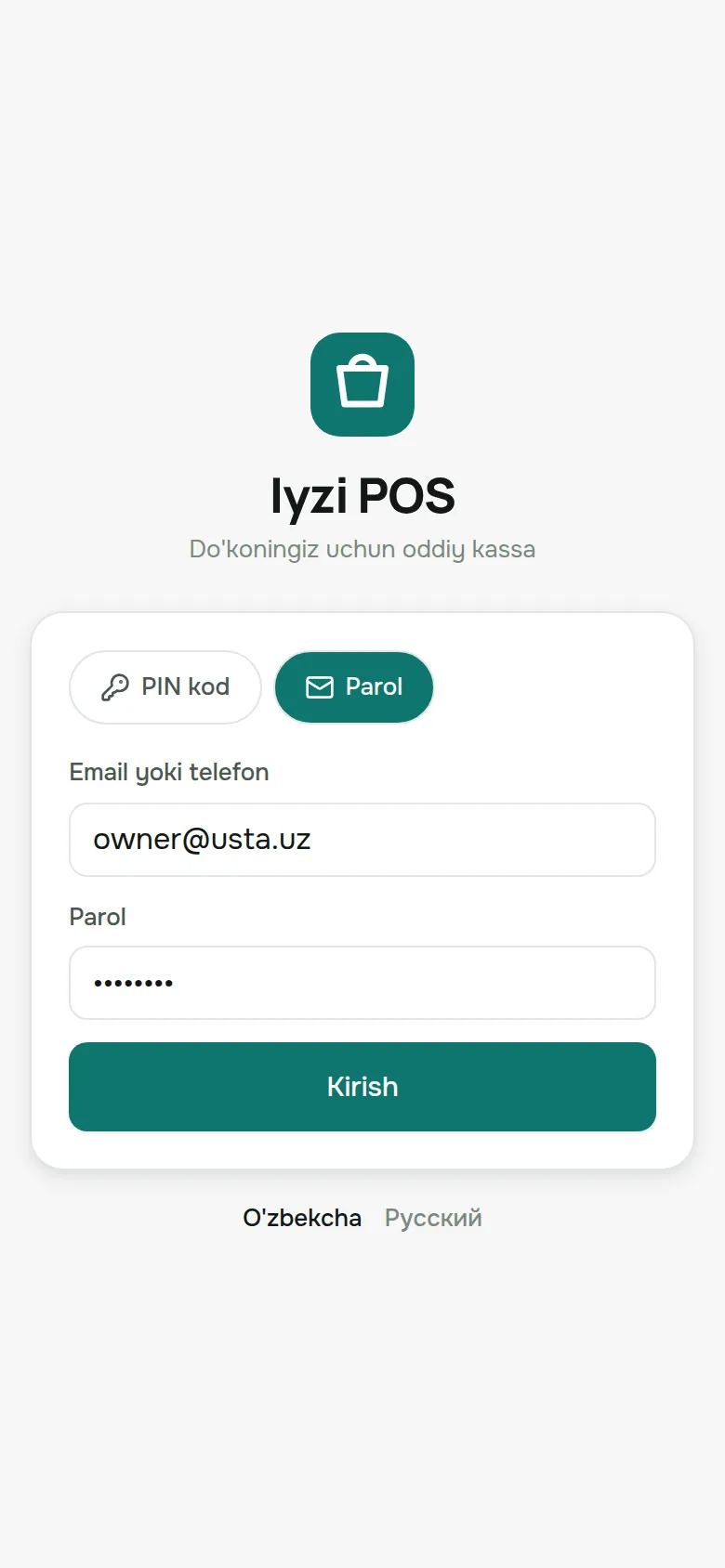
After signing in:
- the Egasi (owner) and Boshqaruvchi (manager) land on Bosh panel (Dashboard);
- a Kassir (cashier) lands straight on the Kassa (Till).
The app remembers you on that device and does not ask for the password every time. About every two weeks it asks for the password again.
Signing in with a PIN
Section titled “Signing in with a PIN”A PIN is a short 4-digit code. It is very handy when several people work on one phone or computer. The shop owner gives the PINs: PIN codes.
When at least one staff member has a PIN, the sign-in screen shows two buttons: PIN kod (PIN) and Parol (password). The screen opens on PIN kod.
-
On the PIN kod screen, tap your name.
-
Type the 4 digits. Once you type the last digit, the app signs you in by itself.
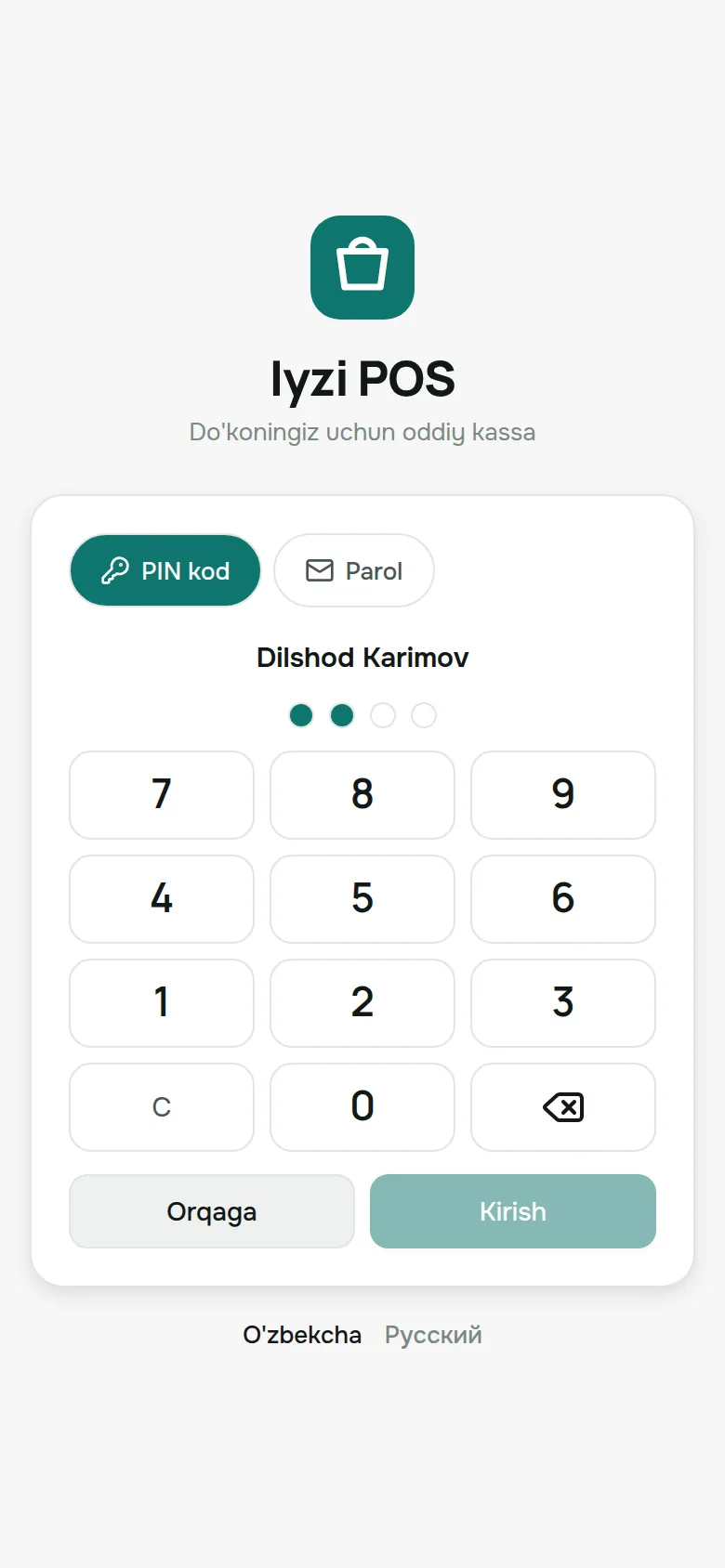
If the app does not sign you in after the last digit, tap Kirish. This happens with older PINs: they may have 5 or 6 digits, so you type all of them and then tap Kirish.
Switching staff on a shared till
Section titled “Switching staff on a shared till”When several sellers share one till, each should sell under their own name. Then the owner sees who sold how much.
-
At the top of the till, tap Xodimni almashtirish (switch staff; the two-people icon).
-
In the Kim ishlayapti? (who is working?) window, tap your name.
-
Type your PIN.
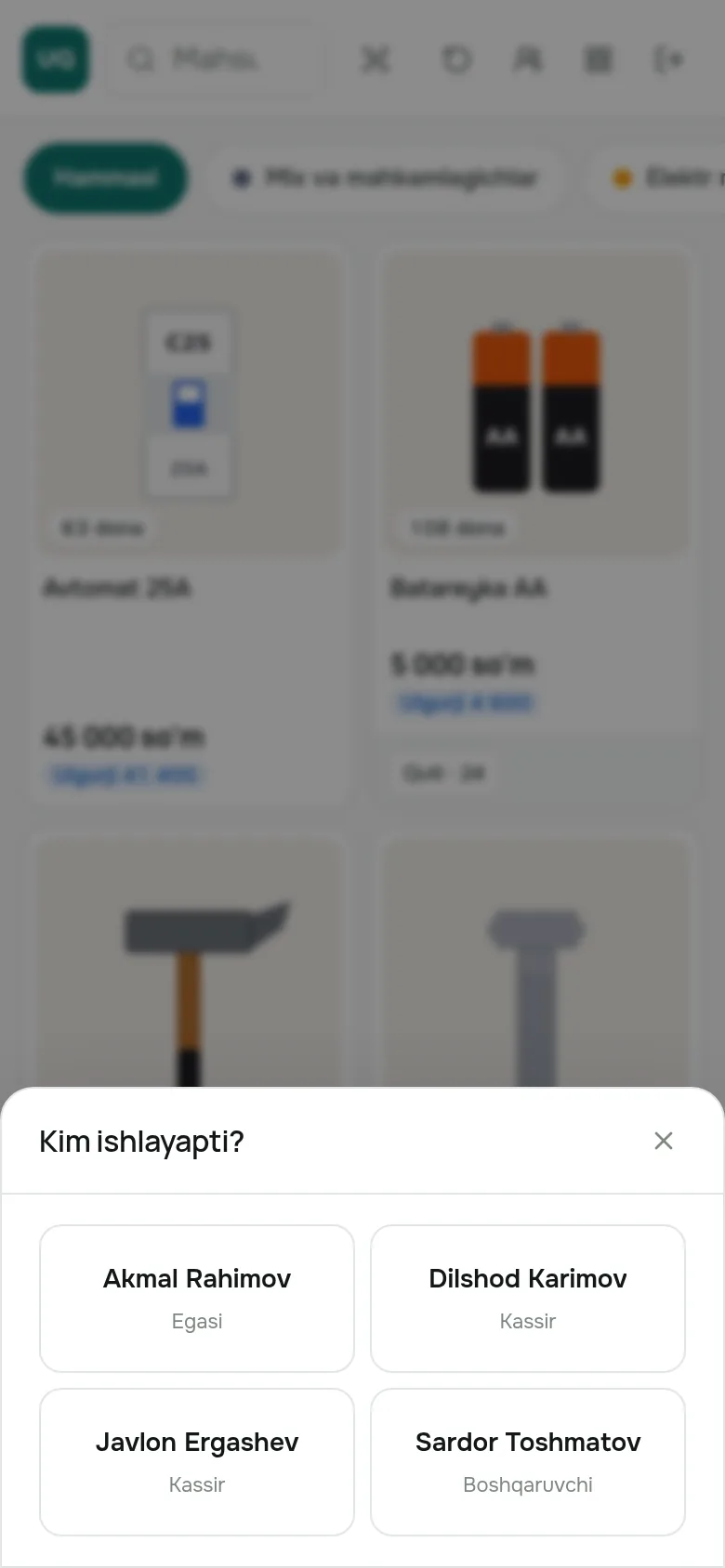
From then on, sales are recorded under your name. There is no shift to open or close: the app has no shifts.
If a PIN gets locked
Section titled “If a PIN gets locked”If a PIN is typed wrong 5 times in a row, that person's PIN is locked for a while. The screen says: "PIN kod ko'p marta noto'g'ri kiritildi. 5 daqiqadan keyin qayta urinib ko'ring." (too many wrong PINs, try again in 5 minutes).
The lock grows each time: 5 minutes, then 15 minutes, 1 hour, 4 hours, at most 1 day. After a correct PIN the count starts again from zero.
To get in without waiting, tap Parol and sign in with your e-mail (or phone) and password. The password keeps working even while the PIN is locked.
If you forget your password
Section titled “If you forget your password”- Cashier or manager: tell the shop owner. In Sozlamalar → Xodimlar (Settings → Staff) the owner taps the pencil icon on your row, types a new password in Yangi parol (ixtiyoriy) (new password, optional) and taps Saqlash (Save).
- Shop owner: contact the administrator who set up your shop.
If you know your password, you change it yourself: Sozlamalar → Profil → Parolni o'zgartirish (change password). Type Joriy parol (current password) and Yangi parol (new password), then tap Saqlash. The new password must have at least 8 characters and not be digits only.
Signing out
Section titled “Signing out”- On the pages with the menu: on a phone, tap the letters of your name at the top right (on a computer, your name at the bottom left) → Chiqish (Sign out).
- On the till: tap the sign-out button at the top right (a door with an arrow).
On a shared phone or computer, sign out at the end of the day. When sellers change during the day you do not need to sign out: switch staff instead.
Questions
Section titled “Questions”What is the login: e-mail or phone? Either. If a staff member's phone number is filled in under Sozlamalar → Xodimlar, they can sign in with that number too.
I don't see the PIN button. Nobody in the shop has a PIN yet. The owner gives one in Sozlamalar → Xodimlar.
My PIN stopped working. After 5 wrong tries in a row it is locked for a while: see above. Meanwhile sign in with your password. If the PIN starts with 0 it cannot be typed: ask the owner for a different one.
Can one login be used on two phones? Yes. But give each seller their own login or PIN, so it is clear who sold what.
Does a cashier see another cashier's sales? No. A cashier sees only the sales they made.
How do I stop a former employee from signing in? In Sozlamalar → Xodimlar tap the pencil icon on their row, switch off Faol (active) and tap Saqlash. More: Adding staff.