Customers
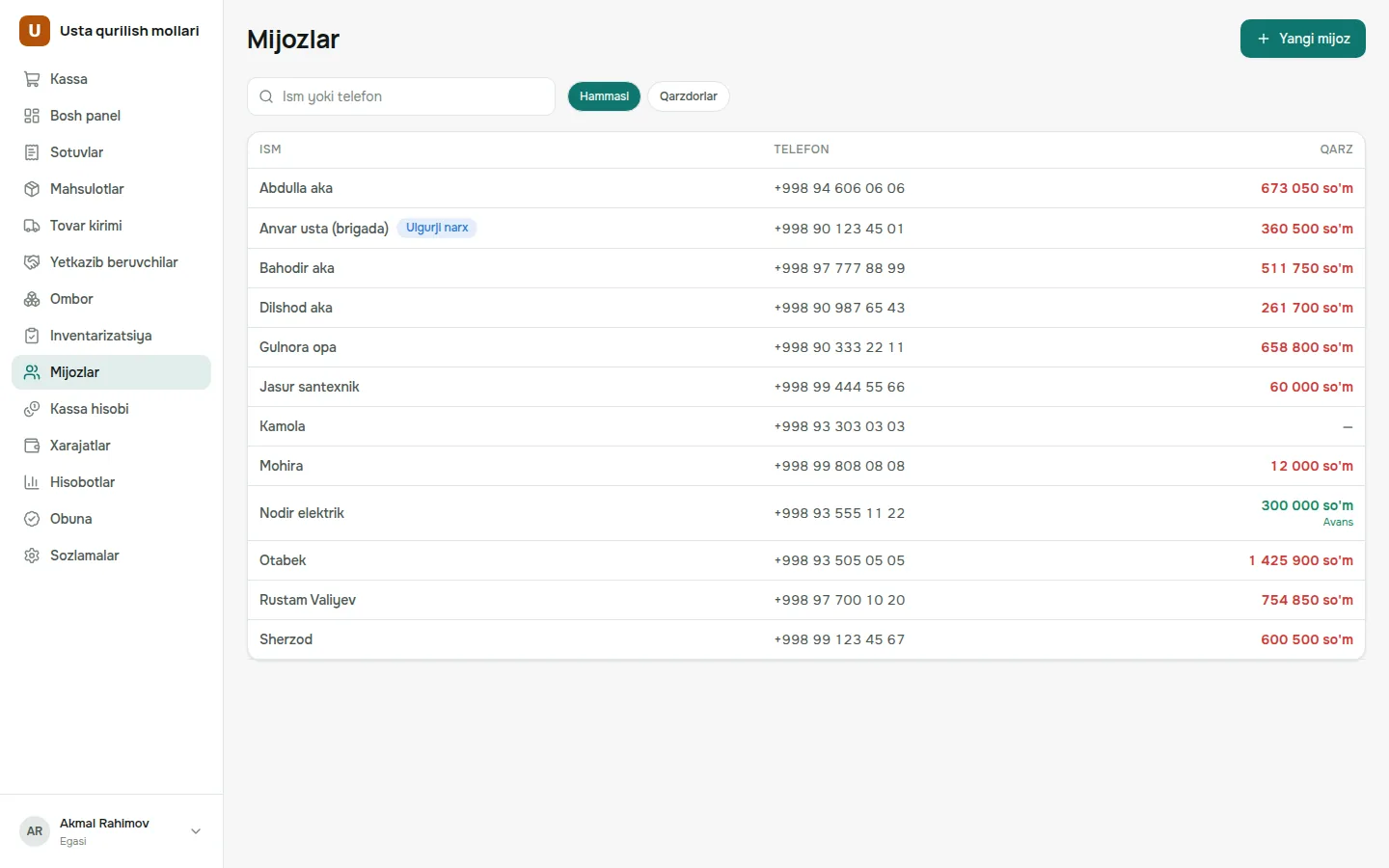
The Mijozlar (Customers) page holds your regular customers: name, phone, debt or advance, and what they bought. Selling on credit always needs a customer picked. Labels are given as the Uzbek app shows them.
Adding a customer
Section titled “Adding a customer”-
Open the Mijozlar page and tap Yangi mijoz (new customer).
-
Type the Ism (name; required) and enter the Telefon (phone) number.
-
If needed, type a Nasiya chegarasi (credit limit): the most this customer may owe you.
0means no limit. -
If the Ulgurji narx (wholesale price) feature is on, switch on Ulgurji mijoz (wholesale customer) for a wholesale buyer: when they are picked at the till, prices switch to wholesale by themselves.
-
If needed, write a reminder in Izoh (note). Tap Saqlash (Save).
You can also add a customer from the till: Mijoz qo'shish (add customer) → Yangi (new). This needs the internet.
The list
Section titled “The list”- Search: by name or phone.
- Hammasi (all) or Qarzdorlar (debtors: those who owe, the biggest debt first).
- In the Qarz (debt) column, a red amount: the customer owes you. A green amount with the word Avans: the customer paid ahead.
The customer's page
Section titled “The customer's page”Tap a customer to open their page. At the top: Qarz (debt) or Avans (advance), Nasiya chegarasi (credit limit), the number of Xaridlar (purchases) and Mijoz bo'lgan sana (customer since). Tap the phone number to call.
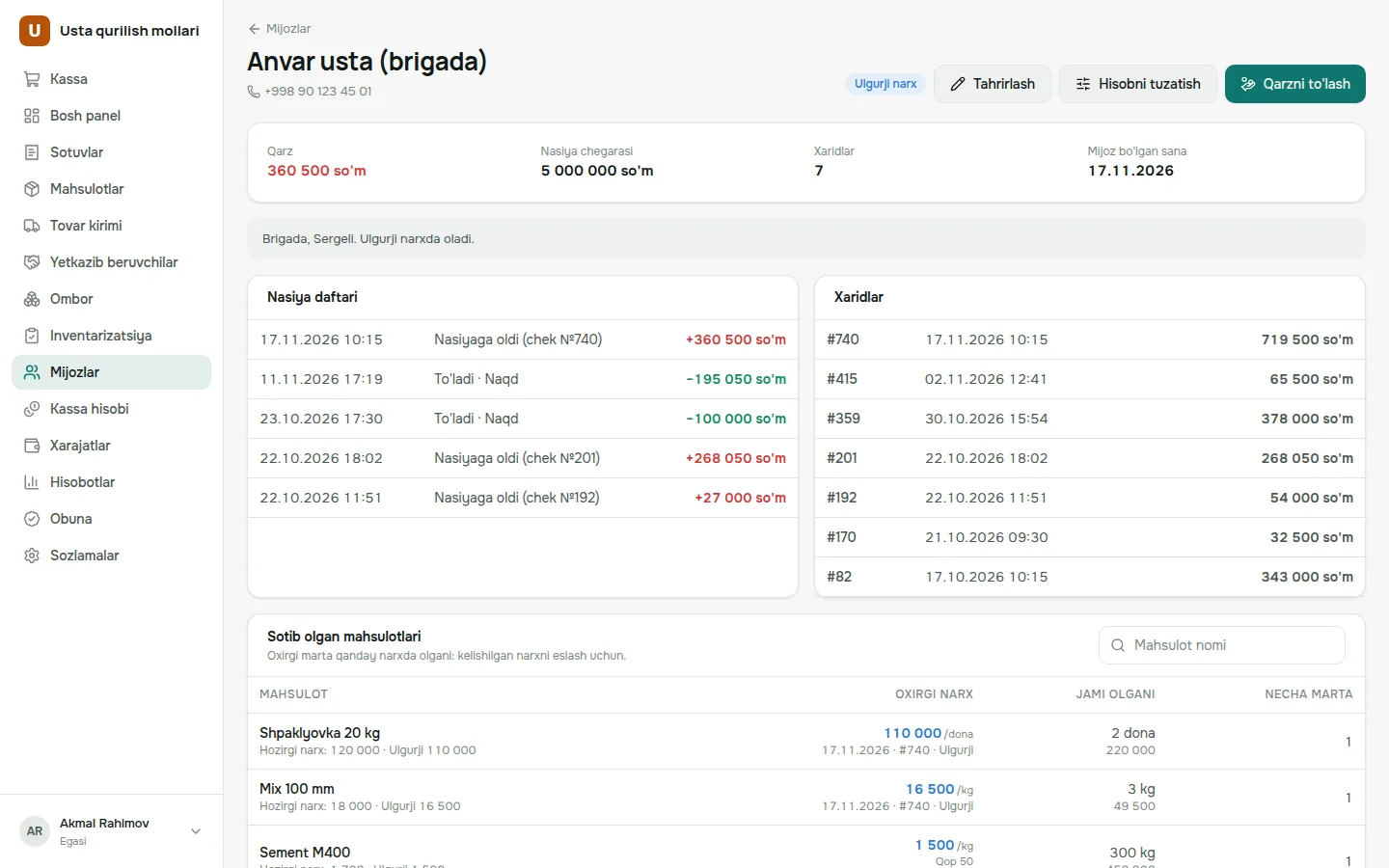
Nasiya daftari (credit book): every entry with its date:
- "Nasiyaga oldi (chek №...)" (took on credit): red, the debt grew;
- "Avansdan oldi (chek №...)" (took from the advance): a purchase paid from the advance;
- "To'ladi · Naqd" (paid, cash): green, the debt went down;
- "Tovar qaytardi" (returned goods): the money for returned goods went onto the customer's account;
- Avans qaytarildi (advance paid back), Tuzatish (correction): entries made by the owner or a manager.
Xaridlar (purchases): the customer's latest receipts. Tap a receipt number to open the sale.
Sotib olgan mahsulotlari (products they bought): every product the customer bought, the price and date they last bought it at (Oxirgi narx, last price), Jami olgani (total bought) and Necha marta (how many times). Handy for remembering the price you agreed with them. When this customer is picked at the till, a product whose last price differs from today's shows that price on its tile: Discounts.
To change the customer's details: Tahrirlash (Edit).
Debt payments and advances
Section titled “Debt payments and advances”The main button on the customer's page:
- when the customer owes: Qarzni to'lash (pay debt);
- when they owe nothing: Avans qabul qilish (take an advance: the customer pays ahead for future purchases).
-
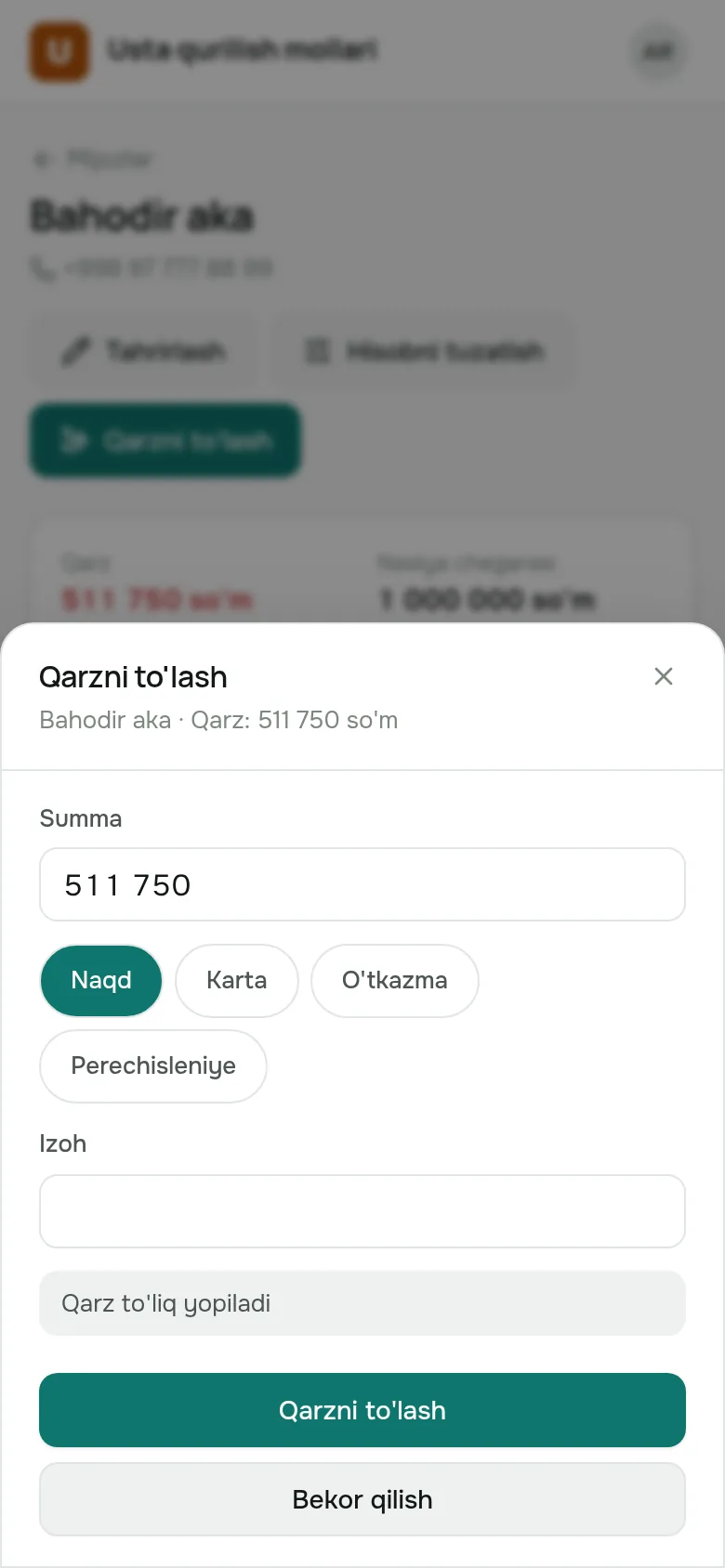
Tap the button. For a debt payment the amount field already holds the whole debt: change it if the customer pays less.
-
Choose the way of paying: Naqd (cash), Karta (card), O'tkazma (transfer) (and Perechisleniye, bank transfer, when switched on).
-
Write an Izoh (note) if needed.
-
Check the result below: "To'lovdan keyin qarz: ..." (debt after payment), "Qarz to'liq yopiladi" (debt fully paid) or "... qarz yopiladi, ... avans bo'lib qoladi" (debt closed, the rest stays as an advance). Then confirm.
How to use an advance at the till: Credit and advances.
Correcting an account (owner, manager)
Section titled “Correcting an account (owner, manager)”The Hisobni tuzatish (correct the account) button has two actions:
- Avansni qaytarish (pay back the advance): money from the advance goes back to the customer (cash, card, transfer, or bank transfer when switched on). It shows only when the customer has an advance, and you cannot pay back more than the advance. Paid back in cash, it shows as money out in Kassa hisobi (Cash control).
- Tuzatish (correction): fixes a wrong entry. Choose Qarzi kamaysin (lower the debt) or Qarzi ko'paysin (raise the debt), type the amount and the Sababi (reason; required). No money moves.
To bring debts over from an old paper book, also use Tuzatish → Qarzi ko'paysin and write "Eski daftardan" (from the old book) as the reason.
Who can do what
Section titled “Who can do what”| Action | Cashier | Owner, manager |
|---|---|---|
| Add and edit customers | Yes | Yes |
| Take a debt payment | Yes | Yes |
| Take an advance | Cash only | Yes |
| Pay back an advance, correct an account | No | Yes |
| See the customer's receipts | Their own sales only | All |
Questions
Section titled “Questions”Where does a customer's debt come from? From selling with Nasiya (credit) at the till: Credit and advances.
How do I remind a customer of their debt? Tap the phone number on their page and call. The app does not send SMS or Telegram messages.
The customer paid more than they owed. The extra stays as an advance. At their next purchase it is spent through Avansdan (from the advance) at the till.
How much do all customers owe? See Mijozlar qarzi (jami) (customers' debt, total) on the Bosh panel (Dashboard; the owner and managers see it). The list: Mijozlar → Qarzdorlar, or Hisobotlar → Qarzdorlar (Reports → Debtors; the owner sees it).
Can I add a customer without a phone number? Yes, only the name is required. But with a phone number the customer is easier to find and the number prints on the receipt.